
From the All Forms Dashboard, users can easily access the detailed responses of any form. Hover on the form you want to check responses and 3 options will appear; one of them is Reports.
- Click on “Reports“ to navigate directly to that form’s Report and analytics.
The panel provides a robust interface for tracking, analyzing, and exporting form submissions. It’s divided into two tabs:
- Summary – Visual breakdown of answers per question.
- Analytics – Insights like views, completion rates, and submission trends.
Summary Tab – View Submission Summaries #
Users can view a summary of form responses and convert specific fields into charts for visual analysis.
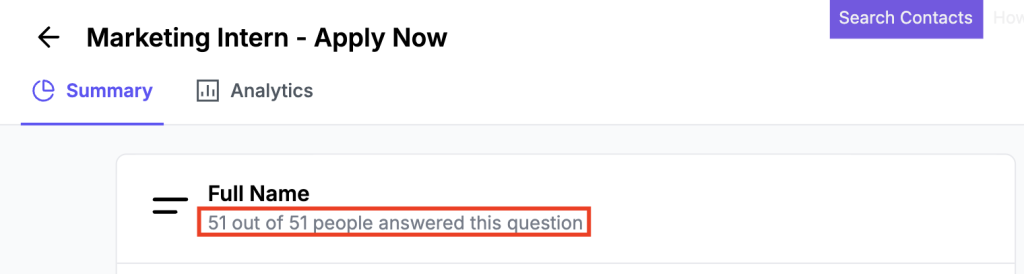
The section displays a summary of all form submissions, including the total number of responses.
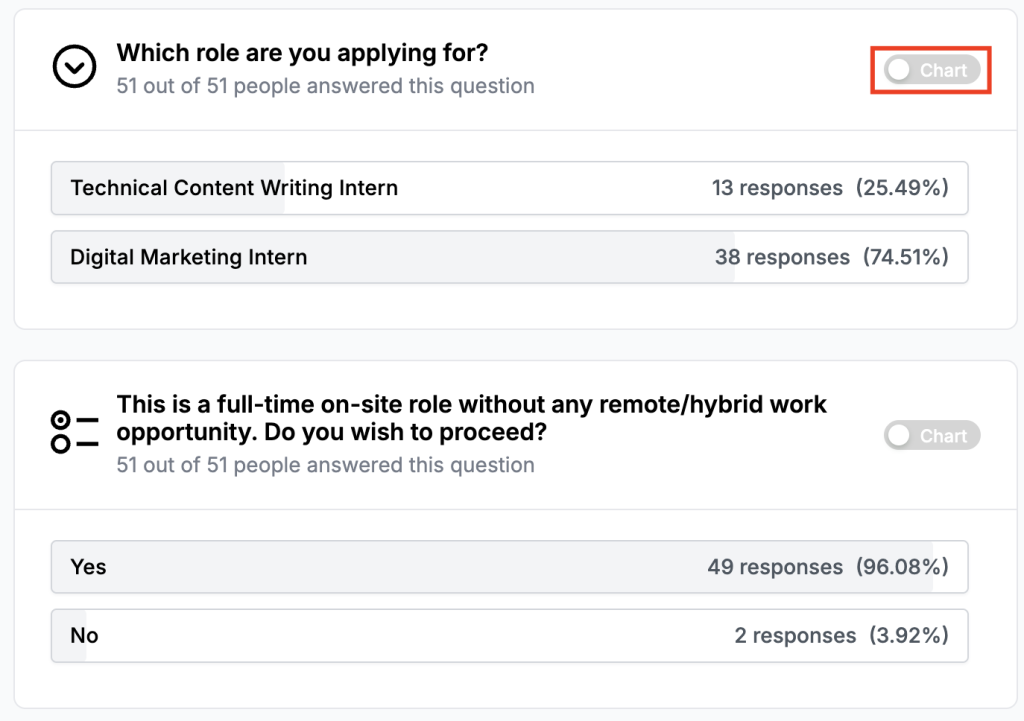
Hover over the input field name and click the Chart button to turn your response data into convertible charts.
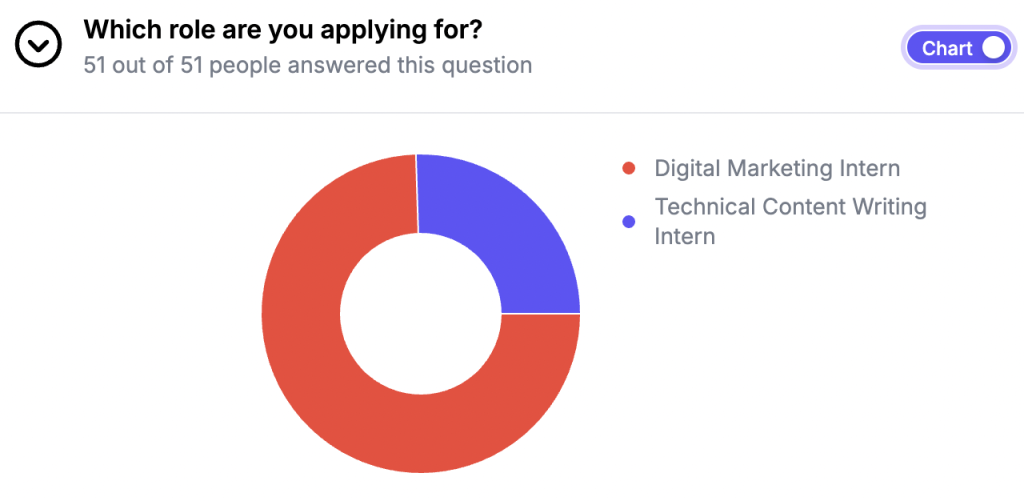
This tab is self-explanatory.
Analytics Tab – Visual Summaries of Responses #
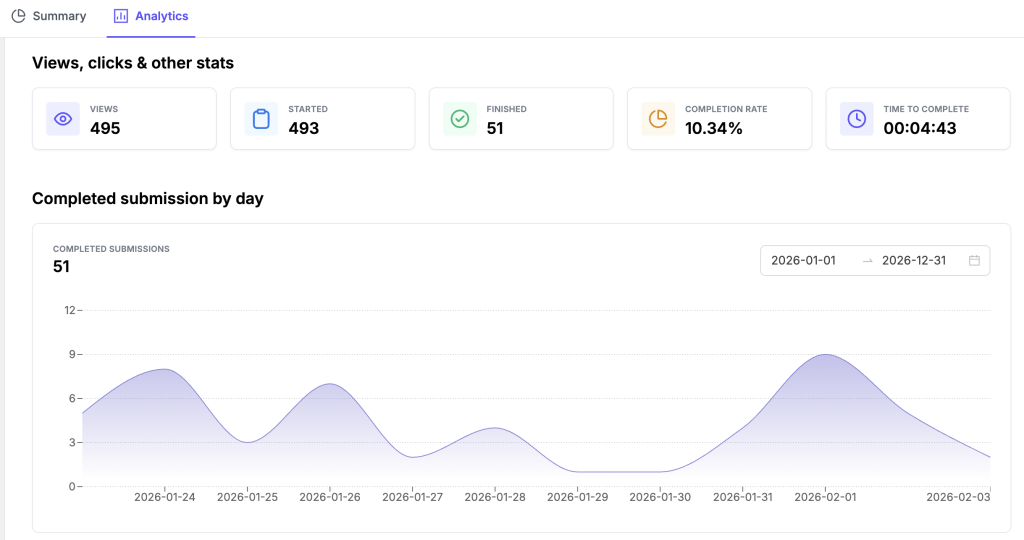
The Analytics tab in FormGent gives you a clear and visual overview of your form responses.
Views, clicks & other stats
At the top, you’ll find a summary section showing:
- Views: How many times your form has been seen
- Started: How many people actually began filling it out
- Finished: How many completed the form
- Completion Rate: The percentage of users who filled out the form from start to finish
- Time to Complete: Average time it takes to finish the form
Completed submission Trends by day
- The line chart will show your form submissions trend by day.
- Adjust date range from above date range selection box to see various day’s submission data and trend.
Question Drop-Off Tabular Report
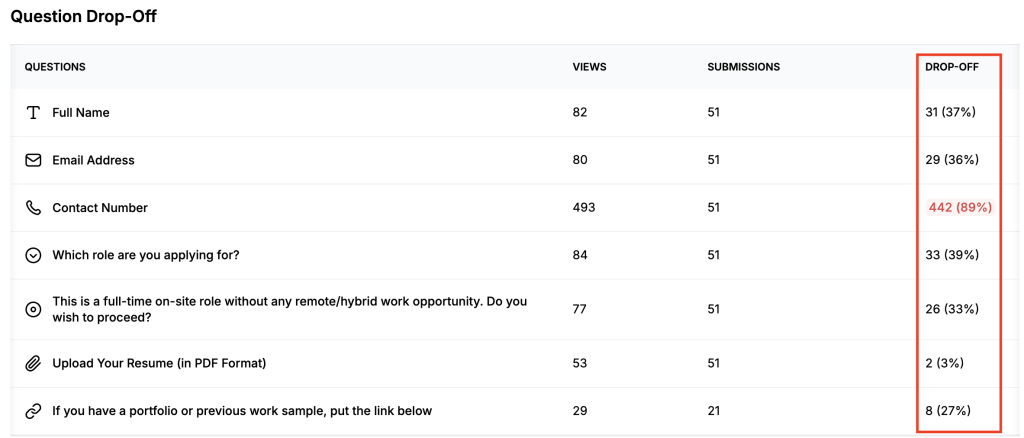
In the “Question Drop-Off” breakdown report, you will find the following data:
- Question Column: Each input field name in your form
- Views Column: How many people saw each question
- Submissions Column: How many responded to your questions
- Drop-off rate for each question: This tells you the percentage of people who left or stopped filling the form at each question
This report helps you fine-tune your forms to improve completion rates.


