
What Mollie Supports in FormGent #
Mollie in FormGent supports one-time payments through Mollie’s hosted checkout.
Mollie does not currently support subscription payments in FormGent. If you create a subscription payment form, Mollie will not be shown as an available payment method.
Before You Start #
You need:
- A Mollie account.
- A Mollie API key.
- FormGent payment settings enabled.
- A FormGent form with a Payment block.
- Published payment success and failed pages.
For live payments, your site should be publicly accessible so Mollie can send webhook updates. On local sites, customers can still return from checkout, but Mollie webhooks may not be sent to your local URL.
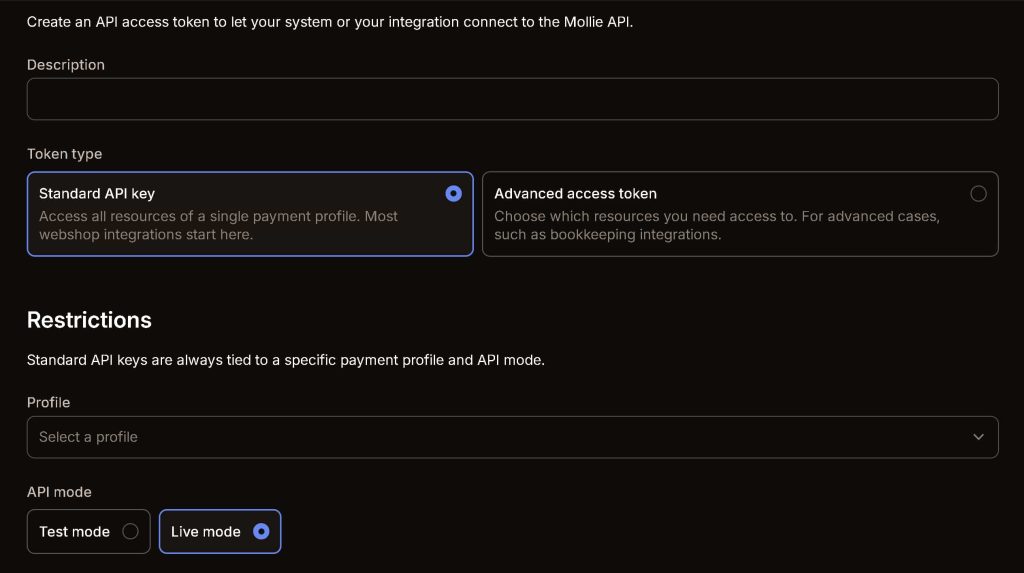
Get Your Mollie API Key #
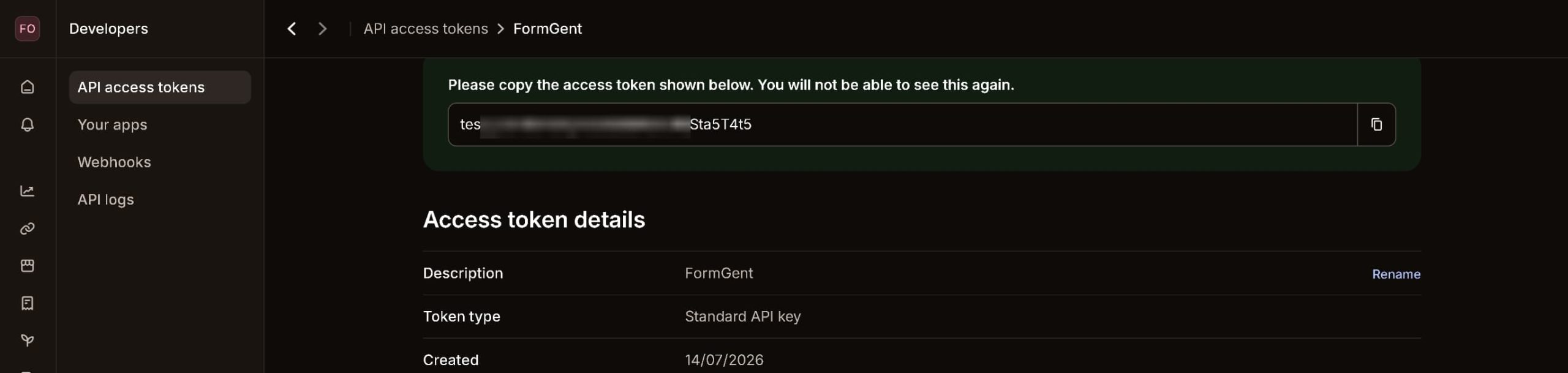
- Log in to your Mollie dashboard.
- Open the website profile you want to use.
- Copy the API key.
- Use a test key for testing and a live key for real payments.
FormGent detects the mode from the key:
- Keys starting with
live_are treated as live mode. - Test keys are shown as test mode.
Enable Mollie in FormGent #
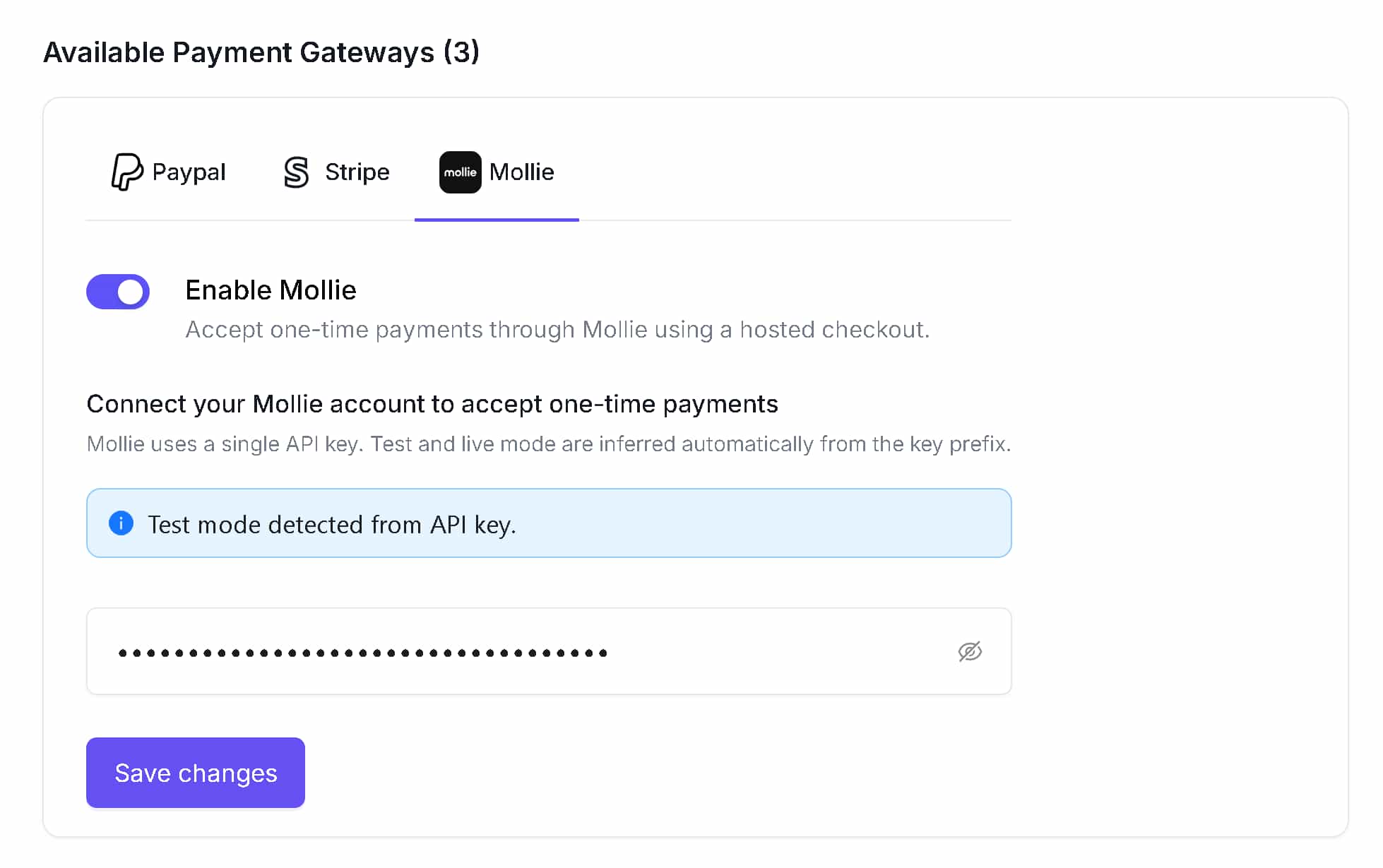
- Go to WordPress Dashboard > FormGent > Global Settings.
- Open Payment settings.
- Open the Mollie gateway settings.
- Enable Mollie.
- Paste your Mollie API key.
- Confirm the mode message is correct.
- Click Save changes.
Mollie uses one API key. There is no separate test mode toggle.
Configure Payment Pages #
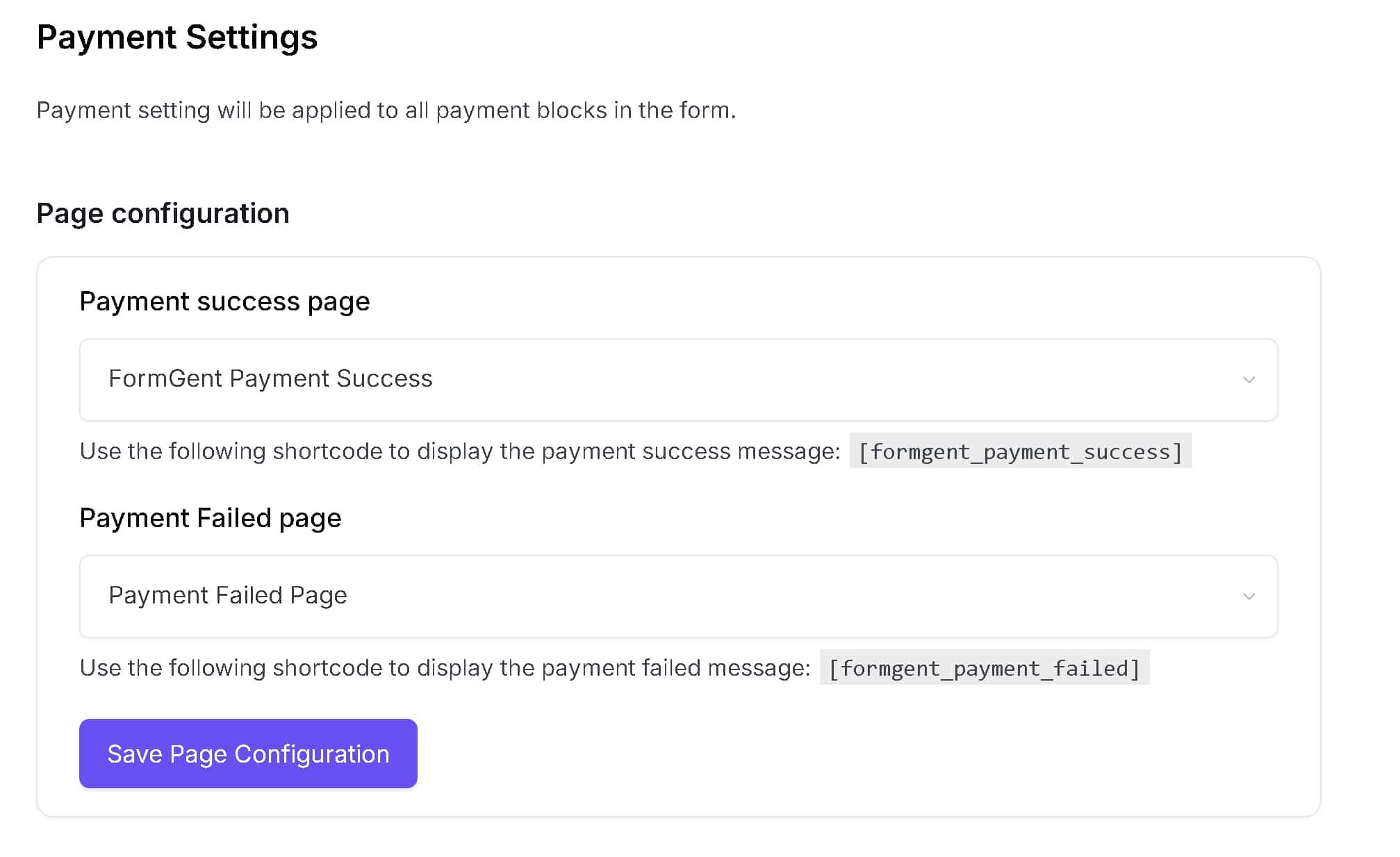
FormGent uses payment pages to show customers what happened after checkout.
- Go to FormGent > Global Settings > Payment.
- Open Page Configuration.
- Choose a Payment success page.
- Choose a Payment failed page.
- Save changes.
The success page should contain:
[formgent_payment_success]
The failed page should contain:
[formgent_payment_failed]
If these pages are missing, FormGent may not have a friendly page to show after the customer returns from Mollie.
Add Mollie to a Payment Form #
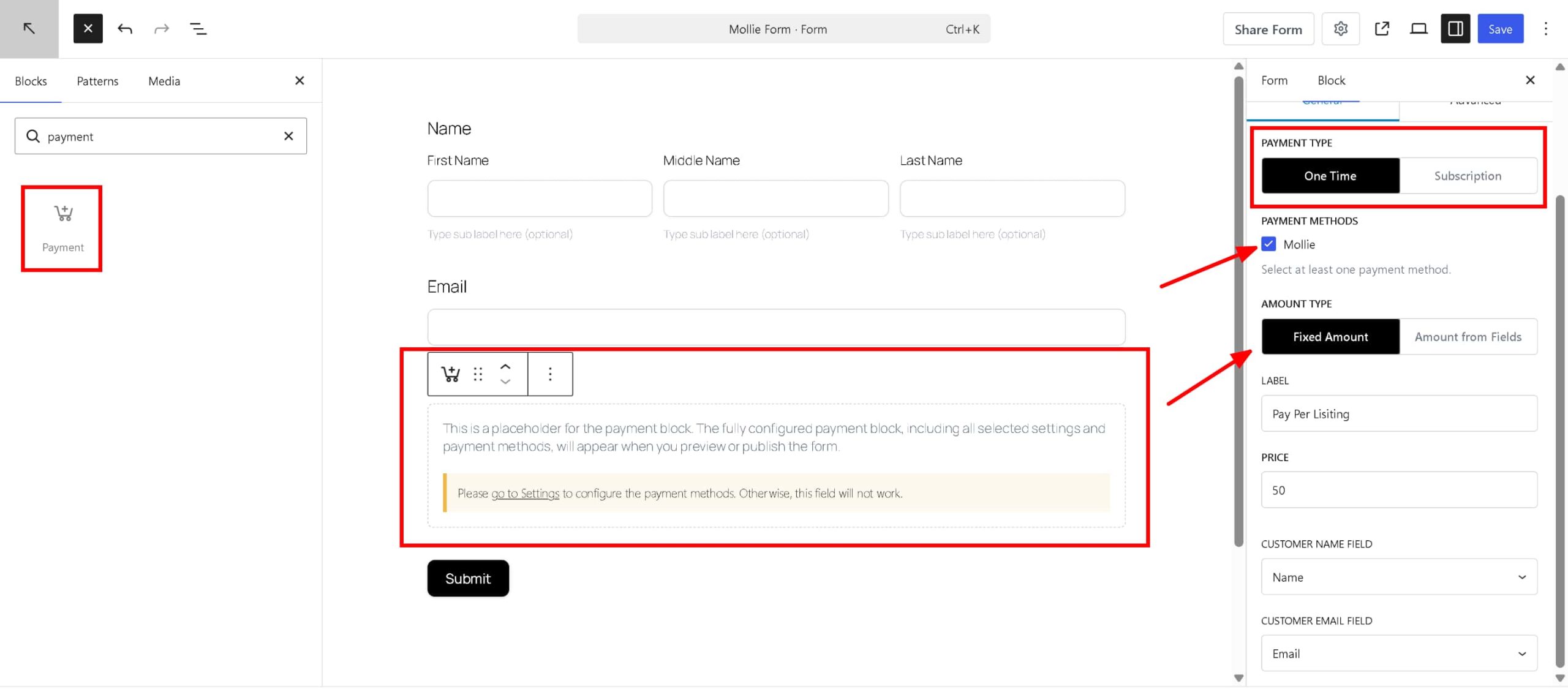
- Create or edit a FormGent form.
- Add or select the Payment block.
- Set Payment Type to One Time.
- In Payment Methods, select Mollie.
- Configure the amount:
- Use a fixed amount, or
- Use amount fields from supported fields.
- Save or publish the form.
Mollie appears only when:
- Mollie is enabled in global payment settings.
- The form uses one-time payments.
- Mollie is selected in the Payment block.
Customer Checkout Flow #
When a customer submits a payment form with Mollie:
- FormGent creates an order and payment record.
- FormGent sends the customer to Mollie’s hosted checkout.
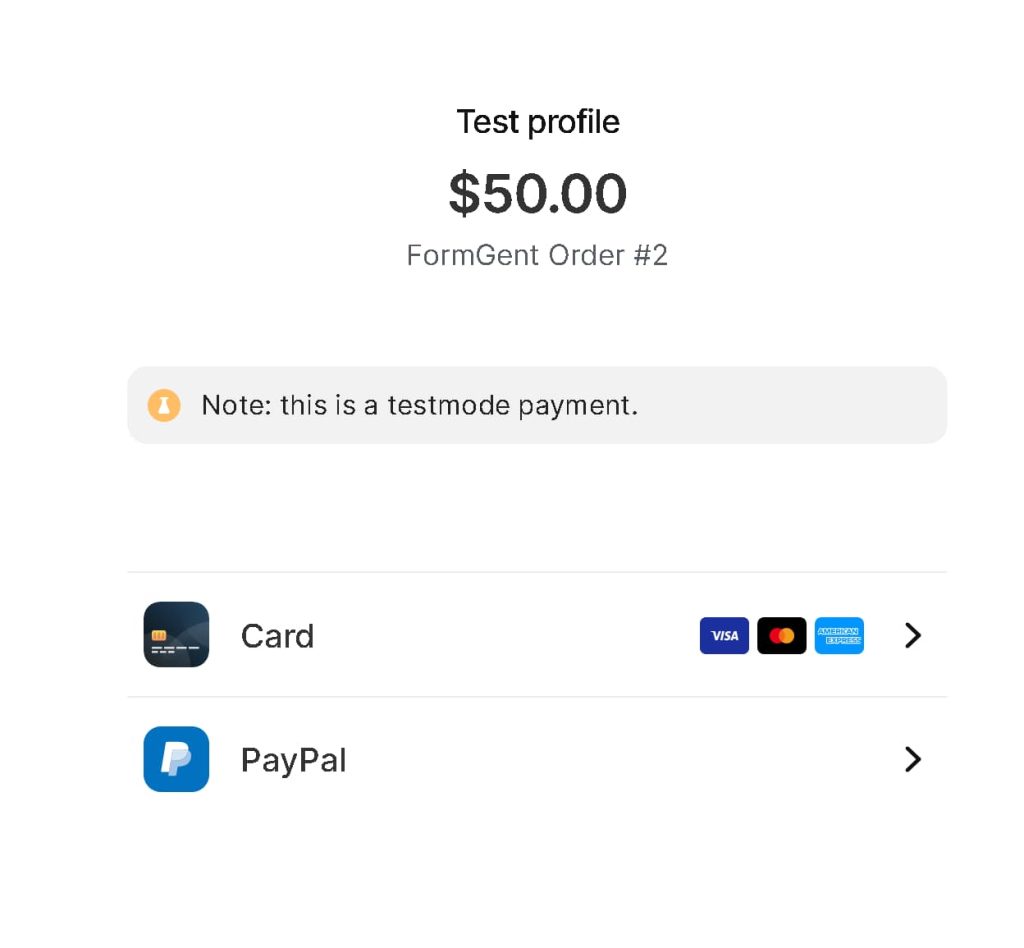
- The customer chooses a payment method inside Mollie.
- Mollie sends the customer back to FormGent.
- FormGent checks the latest payment status from Mollie.
- The customer sees a success, processing, or failed page.
Payment Statuses Customers May See #
Payment Success #
The customer sees the success page when Mollie confirms the payment as paid.
Payment Processing #
The customer sees a processing message when the payment is not final yet. This can happen with payment methods that need extra time before Mollie confirms the final status.
The order remains pending until Mollie confirms the final result by redirect or webhook.
Payment Failed #
The customer sees the failed page when payment fails, is cancelled, or expires. The failed page includes a retry option when retry is available.
Test Mollie Payments #
Use a Mollie test API key before accepting real payments.
Enable Mollie with a test API key. Create a one-time payment form.
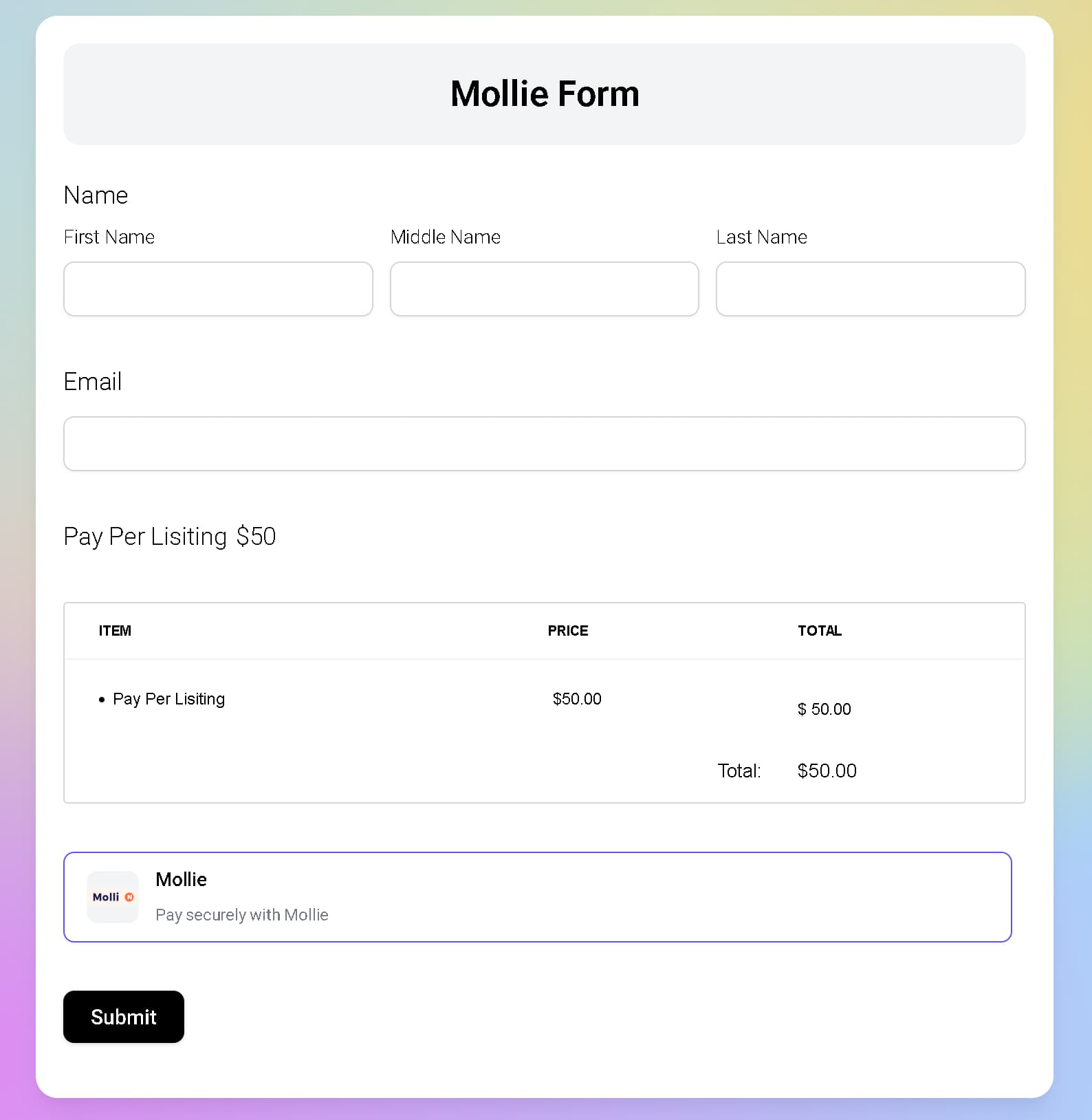
Submit the form as a customer. In Mollie checkout, choose the desired test outcome.
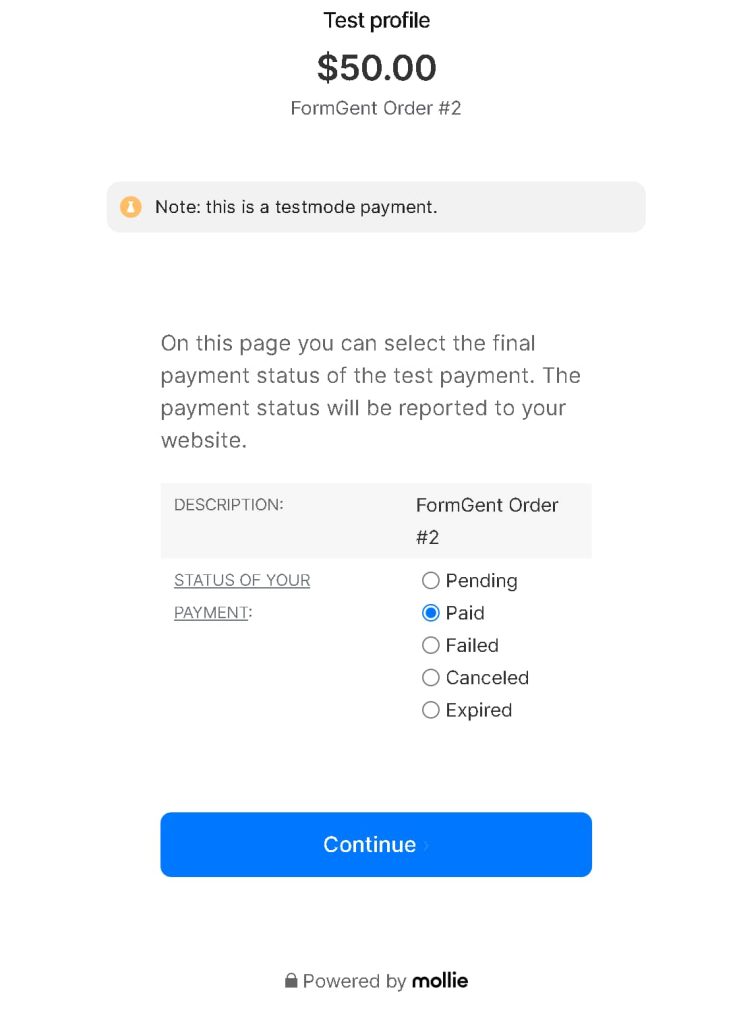
Confirm FormGent shows the expected result:
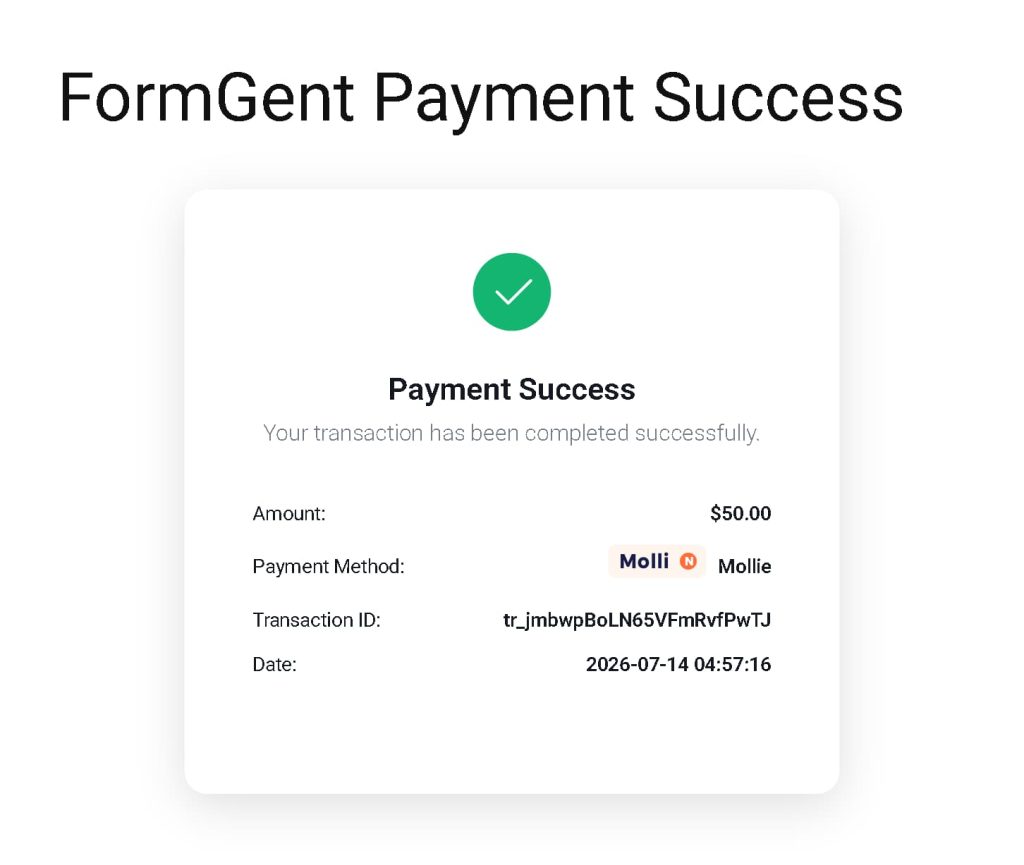
- Paid: success page.
- Pending: processing page.
- Failed, cancelled, or expired: failed page.
After testing, replace the test API key with a live key when you are ready for real payments.
Webhooks #
Mollie can send FormGent webhook updates when payment status changes after checkout.
FormGent automatically sends a webhook URL to Mollie when your site URL appears public. FormGent does not send a webhook URL for local or non-public domains such as:
localhost127.0.0.1.local.test.invalid.example- Private IP addresses
This prevents Mollie from receiving unusable webhook URLs during local development.
Mollie and Subscriptions #
Mollie is not available for subscription payment forms in this release.
If you select Subscription as the payment type, FormGent only shows gateways that support subscriptions. Mollie is excluded so customers do not choose a gateway that cannot complete the subscription.
Troubleshooting #
Mollie does not appear in my form #
Check these items:
- Mollie is enabled in Global Settings > Payment.
- A Mollie API key is saved.
- The Payment block has Payment Type set to One Time.
- Mollie is selected in the Payment block’s Payment Methods setting.
- The form is saved or updated after changing settings.
The mode looks wrong #
Check the API key you entered.
- Live keys should start with
live_. - Test keys should be Mollie test keys.
If you paste a live key, FormGent shows live mode. If the key does not start with live_, FormGent shows test mode.
The customer sees Payment Processing #
This means Mollie has not confirmed a final status yet. Wait for Mollie to send a webhook or check the order later.
On local sites, webhooks may not work because Mollie cannot reach local URLs. Test final webhook behavior on a public staging or production URL.
The customer sees Payment Failed #
The payment may have failed, been cancelled, or expired in Mollie. Ask the customer to use the retry option or submit the form again.
Webhooks are not updating payments #
Check that:
- The site is publicly accessible.
- The site URL does not use a local-only domain.
- The Mollie API key is valid.
- The payment exists in FormGent.
- The payment was created through Mollie.
Existing Stripe or PayPal payments changed #
Mollie is a separate gateway. Enabling Mollie should not change existing Stripe or PayPal settings. Review the Payment block and confirm which payment methods are selected for the form.
Frequently Asked Questions #
Can I use Mollie for subscriptions? #
No. Mollie subscription payments are not supported in this FormGent integration.
Can I choose specific Mollie payment methods in FormGent? #
No. Customers choose from the payment methods available in Mollie’s hosted checkout.
Do I need to manually add a webhook URL in Mollie? #
No for normal use. FormGent sends the webhook URL when creating the Mollie payment, as long as the site URL is public.
Can I test Mollie on a local site? #
You can test the checkout redirect flow, but webhooks may not work on local domains. Use a public staging site for full webhook testing.
Does Mollie affect Stripe or PayPal? #
No. Mollie uses its own settings, checkout flow, and transaction IDs. Existing Stripe and PayPal flows should continue to work.


