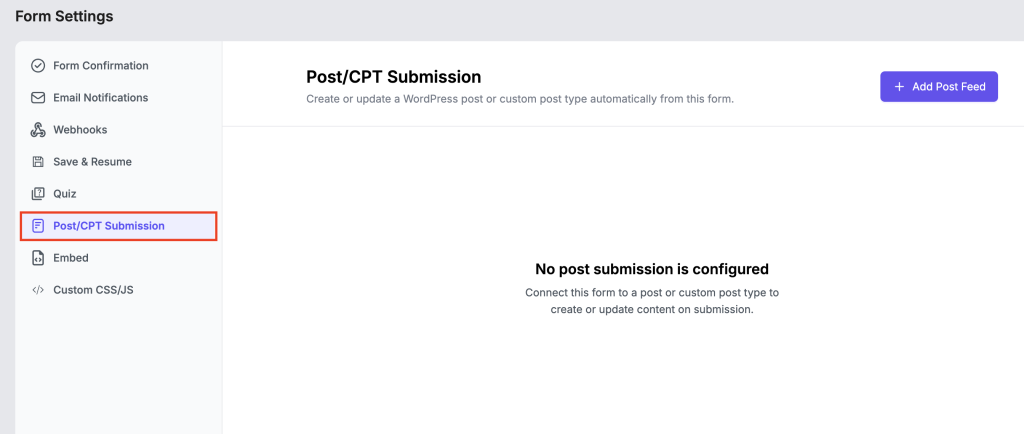
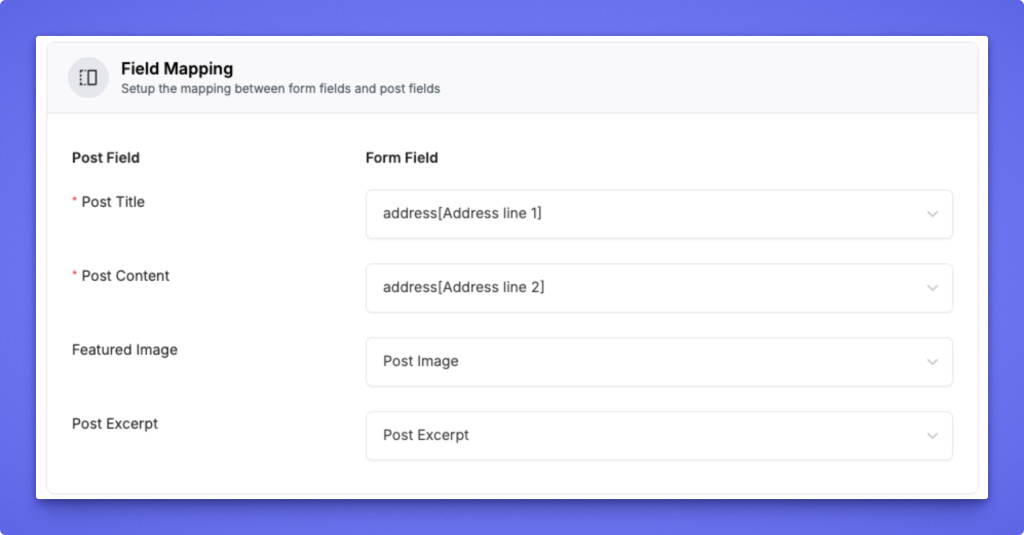
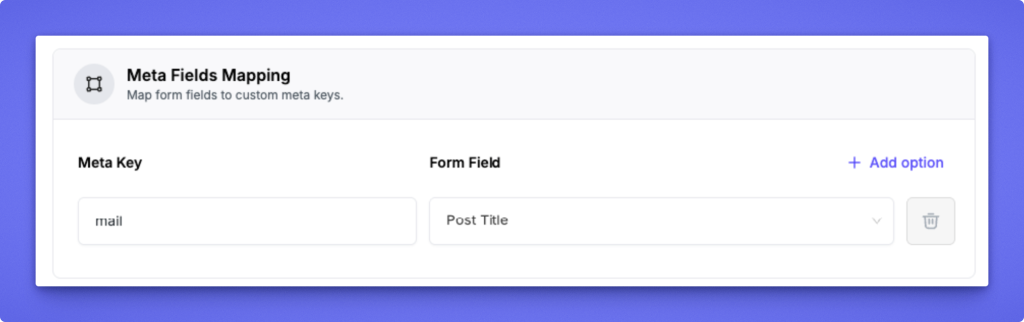
The Post/CPT Submission module allows you to turn any FormGent form into a WordPress post or custom post type (CPT) submission tool. With this feature, form entries can automatically create or update WordPress posts, perfect for user-generated content, listings, job boards, or article submissions.
This feature allows your form to automatically generate content in WordPress when users submit a form. It is useful for building front-end content submission workflows such as blog submissions, directories, listings, or user-generated content.
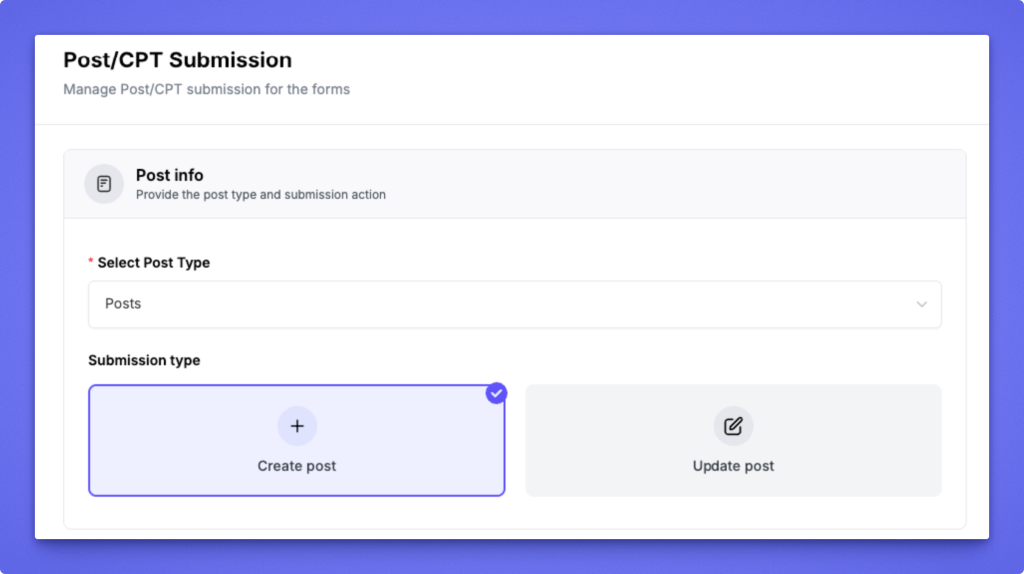
Define where and how the form data will be submitted as a WordPress post.
1. Select Post Type Choose the post type (e.g., Post, Page, Product, Listing) where submissions will be stored. All registered post types appear in this dropdown.
2. Submission Type Select what happens when the form is submitted:
Create Post: Creates a new post for every submission.
Update Post: Updates an existing post based on a mapped field (e.g., Post ID).
? Use Create Post for new entries and Update Post for editing existing ones.
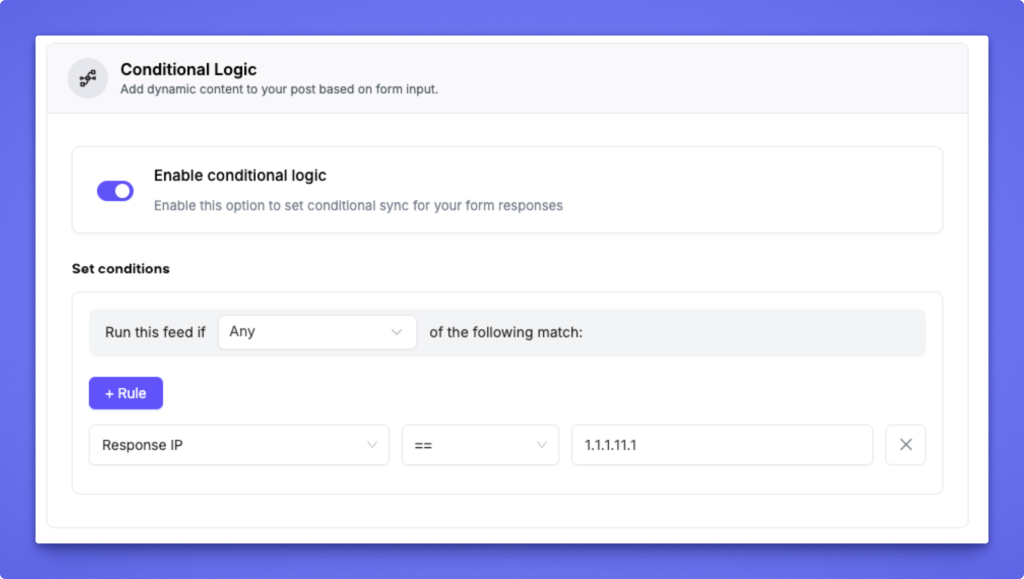
Add dynamic control over when the post feed runs based on form responses.
1. Enable Conditional Logic Toggle this option to activate conditional sync for your form. When enabled, the feed will only run if the defined conditions are met.
2. Set Conditions Create one or more rules to determine when the post should be created or updated.
Choose Any or All to define rule matching logic.
Click + Rule to add conditions using form fields (e.g., “Response IP equals 1.1.1.1”).
? Example: Only create a post if the user selects a specific category or enters a valid email domain.