
Top AI Form Builders for WordPress in 2025
-
- AI-Form Builder Form Builder WordPress Plugins
- 10 mins read
Creating forms for your WordPress website can feel like a never-ending task. Traditional form builders require manual setup, making it difficult to optimize for conversions. If a form is too complex, visitors may abandon it, resulting in lost leads and sales.
In fact, 81% of people have abandoned a form after starting it due to frustration (Clutch, 2024). Slow-loading, confusing, or outdated forms hurt user experience and your business growth. A poorly designed form can cost you potential customers without realizing itincrease engagement and conversions..
This is where AI form builders for WordPress change the game. These smart tools use automation and machine learning to create user-friendly forms that drive results. From predictive field suggestions to real-time data validation, AI-powered forms reduce friction and improve completion rates.
In this post, we’ll explore how AI form builders can streamline your workflow and boost website conversions.
Why Use AI Form Builders for WordPress?
Forms are important for websites. They help collect leads, process orders, and get customer feedback. AI form builders make creating forms easier, faster, and smarter.
i. Save time
Using AI form builders for WordPress can save time and improve user experience. Traditional form builders require manual setup and adjustments, but AI-powered tools do most of the work automatically. With smart suggestions and automation, forms are easier to build and manage.
ii. Boost form completion rates
AI-based form builders can help improve, as many people abandon a form because it is too long or complicated. You can auto-populate fields with AI tools, fill in short questions, and remove overheads. It allows the visitors to fill in the form with minimal difficulty and thus higher conversions.
iii. Real-time data validation
Real-time data validation is one of the reasons why AI Form builders can serve another key benefit. AI for error checking, as users are filling out the form. Reduces mistakes, corrects data and filters spam submissions. That unlocks more empowered decisions for businesses due to improved quality of data.
iv. Improve user experience
AI form builders also enhance the overall user experience. It is customized according to their behavior using AI based on user experience. E.g.: they can enable or disable input fields based on the answer assigned to the user. It cuts down on frustration and enhances engagement.
v. Integrate with other tools
And lastly, AI form builders integrate with other tools. Optimal for email marketing software, CRMs and payment systems as a convenience factor to simplify the operation of business. Users can merely dedicate their time toward scaling instead of spending hours with forms.
With AI-powered automation, WordPress form building becomes easier, smarter, and more effective. Businesses can collect better data, improve user experience, and increase conversions with less effort.
Key Features to Look for in AI Form Builders

Not all AI form builders are created equal. The right features can make form creation faster, smarter, and more effective. Let’s explore what matters most.
But what exactly should you look for?
- AI-Powered Form Creation – AI form builder suggest fields for you to have a form without you needing to start from nothing.
- Drag-and-Drop Simplicity – A simple interface to add, move or remove elements on a form without any help of coding.
- Smart Auto-Fill & Predictions – AI suggestions & auto-fill options to lessen user effort.
- Conditional Logic for Smarter Forms – Show only important fields, depending on user inputs so the flow feels easy and engaging.
- Built-in Spam & Error Detection – No more bad entries or broken form submissions with AI. The AI finds issues before they do
- Seamless Integrations – Connect with your CRM, email marketing service and payment gateways for a seamless workflow.
- Data Insights & Analytics – Get insights and analytics on user interaction with your forms, to help conversions improve.
An AI form maker will do more than just gather data — it makes for a better user experience and faster results with more success. Pick one that enables simple and effective form building!
Top AI Form Builders for WordPress to Save Your Time and Effort
1. FormGent
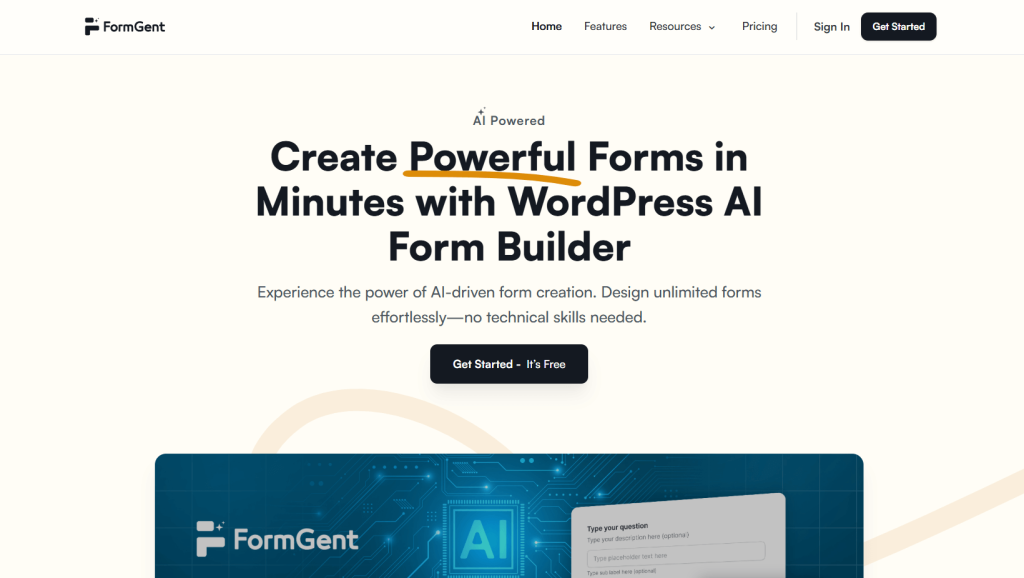
FormGent is a smart and easy-to-use AI-powered form builder for WordPress. It helps users create forms in minutes without coding. With features like AI field suggestions, multi-step layouts, dynamic personalization, real-time webhook integration, and conversational forms, it makes building powerful forms effortless.
You can also track form performance through built-in analytics and save incomplete form data. Its drag-and-drop builder, strong security, and spam protection make FormGent a great choice for beginners and pros alike.
Pros:
- Suggests form fields automatically using AI.
- Saves incomplete form data automatically.
- Includes built-in analytics for performance tracking.
- Offers both multi-step and conversational form layouts.
- No coding skills required to build forms.
Cons:
- Limited third-party integrations in early versions.
- May not suit very complex enterprise needs yet.
- AI features may need refinement based on use cases.
Best For:
FormGent is best for users who want a fast, intelligent, and beginner-friendly way to build forms with AI features. It’s ideal for marketers, business owners, or bloggers who want to create interactive and efficient forms in less time.
2. WS Form
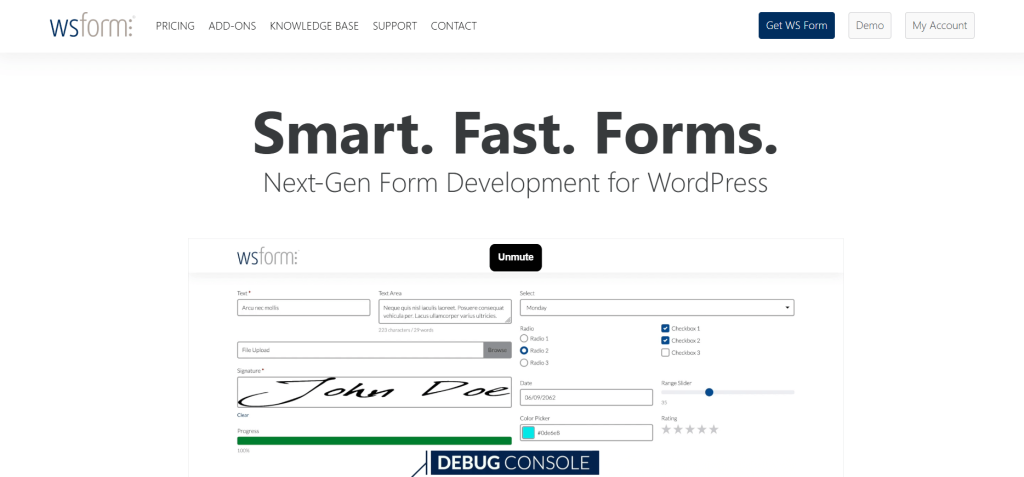
WS Form is a powerful and flexible WordPress form builder with growing AI features. It’s built for speed, customization, and deep integrations. Users can create detailed forms with calculations, conditional logic, and real-time responsiveness.
Though not fully AI-focused like others, it does support advanced automation and personalization features. Its developer-friendly tools and compatibility with third-party services make it ideal for advanced users and developers who want full control over form behavior and design.
Pros:
- Highly customizable with advanced logic tools.
- Great performance even on complex forms.
- Offers strong developer support and tools.
- Supports integrations with CRMs and APIs.
- Mobile and SEO-friendly form output.
Cons:
- Steeper learning curve for beginners.
- Limited built-in AI capabilities compared to others.
- Premium features may be pricey.
Best For:
WS Form is best for developers and advanced users who want full flexibility in building complex WordPress forms. It suits professionals who need high performance, deep customization, and tight integration with business tools or custom workflows.
3. WPForms AI
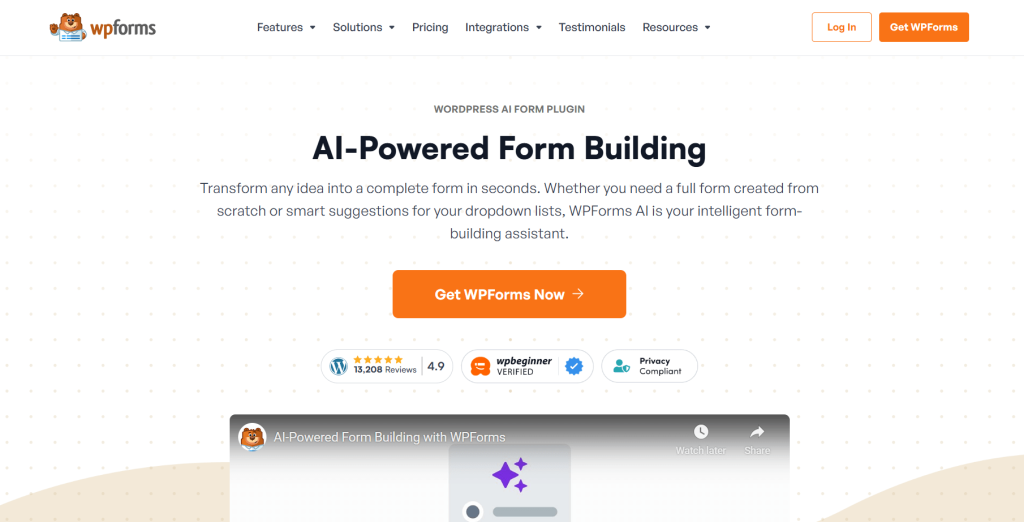
WPForms AI is an advanced feature within the popular WPForms plugin. It uses artificial intelligence to help you create smart, user-friendly forms quickly. The AI assistant can generate entire forms from a single prompt, saving time and boosting productivity. It supports multi-step forms, conditional logic, and various templates.
What’s more, WPForms also includes features like spam protection, mobile responsiveness, and marketing integrations, making it a powerful form builder for WordPress users who want more control and flexibility.
Pros:
- AI can generate full forms from text prompts.
- Offers wide range of pre-built templates.
- Integrates with major email and marketing tools.
- Excellent drag-and-drop form builder interface.
- Reliable spam and bot protection included.
Cons:
- AI feature is available only in Pro versions.
- Can be costly for small businesses.
- Some features require add-ons.
Best For:
WPForms AI is best for digital marketers, agencies, and businesses that need smart, flexible, and well-integrated forms. It’s great for those who already use WPForms and want to unlock time-saving AI features to simplify the form-building process.
How AI Form Builders for WordPress Improve Website Conversions

AI form builders make it easier to convert leads by creating forms click-and-drag friendly. They knock them out of the park when it comes to motivating conversions.
AI form builders increase web conversions, reduce abandonment and form-filling barriers through a better user experience from the process of filling out an accessible form. AI tools examine user intent and offer forms with briefer responses to keep them getting all they need. As a result, they end up quicker to fill out, and drop off fewer.
One of the biggest advantages is that AI form builders allow the form to interact based on a user’s answers. Form can appear or disappear depending on the user and which answers they give. This agile method provides a more personal touch and is relevant, which in turn makes sure that the users will complete the form.
Another is auto-fill in case. Generate a form that automatically fills out from the last values or data in the user profile using ai. This saves the visitor time and they have a great chance of filling out the form. Less errors, quicker submissions, faster conversions.
Other feature is that it can be valid live with AI form builders. They verify all user inputs on the spot, avoiding errors and the need to edit later on. This is a great UX improvement and increases the chances of the submission winning.
Furthermore, AI form builders integrate well with other marketing tools. They can automatically add new leads to email lists, trigger follow-up messages, and provide valuable data for analytics. This seamless workflow helps businesses nurture leads and convert them into customers more effectively.
Overall, by reducing friction, personalizing the experience, and streamlining processes, AI form builders make it easier for visitors to complete forms and become customers, thus significantly improving website conversions.
AI Form Builders vs. Traditional Form Builders: What’s the Difference?
Forms are useful for collecting user inputs but, forms are not all the same. The form builders built in AI vs Traditional does effect user experience and conversion rates with the choice of one and other.
How they work
Traditional form builders require manual setup. You have to create each field, decide the layout, and customize the form step by step. While they offer control, they can be time-consuming and may not be optimized for conversions.
Then, AI form builders work by automation and intelligence to streamline the whole process. They look at user behavior, dynamically suggest fields and tailor the form for every person. Which means they’re quicker, easier and better organized.
Key Differences
| Feature | AI Form Builders | Traditional Form Builders |
| Setup Process | Automated and quick | Manual and time-consuming |
| Personalization | Adapts to user inputs in real time | Fixed fields for all users |
| User Experience | Smarter, easier, and more interactive | Standard form-filling process |
| Error Reduction | AI-based validation and autofill | Requires users to correct mistakes manually |
| Conversion Rate | Higher, due to smart optimization | Lower, as users may abandon long forms |
| Integration | Seamlessly connects with other tools | Requires manual setup for integration |
AI form builders have an improved experience by making the forms quick, clean & personalized. They lower friction and raise conversions, perfect for the modern website. To Collect Smart data Go for AI driven forms instead of traditional forms.
How to Choose the Right AI Form Builder for Your WordPress Site

Not all AI form builders are the same. Some are packed with features, while others focus on ease of use. Choosing the right one depends on your needs. Here’s a simple guide to help you decide.
1. Know your goals
Before choosing an AI form builder, ask yourself:
- Do you need simple contact forms or advanced forms with conditional logic?
- Will you use AI features like auto-fill and real-time suggestions?
- Do you want to collect payments or gather customer feedback?
Your answers will help you pick a tool that fits your needs.
2. Check ease of use
- A good AI form builder should be easy to set up and use. Look for:
- Drag-and-drop functionality
- Pre-built templates
- AI-powered form suggestions
- No coding required
If the setup is too complex, it may not be the right choice.
3. Look at AI features
- AI form builders should have smart features that improve user experience. Some key features include:
- Auto-suggesting form fields
- Predictive text input
- Smart error detection
- AI-powered analytics to track conversions
The more intelligent the form, the better the user experience.
4. Check integrations
Your form builder should work well with other tools you use, such as:
- Email marketing platforms (Mailchimp, ConvertKit)
- Payment gateways (Stripe, PayPal)
- CRM tools (HubSpot, Salesforce)
Without good integrations, you may face limitations.
5. Test for mobile-friendliness
- Most users fill out forms on mobile devices. A good AI form builder should:
- Be fully responsive
- Auto-adjust fields for smaller screens
- Support voice input for quick form-filling
Mobile-friendly forms increase engagement and conversions.
6. Compare pricing & support
Finally, compare pricing plans and customer support. Ask:
- Does it offer a free trial?
- Is customer support available when you need it?
- Are updates and security patches provided?
A reliable form builder should offer long-term value, not just fancy features.
Common Mistakes to Avoid When Using AI Form Builders

AI form builders make it easy to create smart and user-friendly forms. However, many users make mistakes that reduce the effectiveness of their forms. Here are five common mistakes to avoid when using AI form builders for WordPress.
1. Ignoring user experience
A form needs to be simple and user-friendly when filling out. Others put way too many fields, the user gets confused. Others avoid good layouts It is over the top in terms of ease; forms should be short, understandable and looks good. AI improvements such as auto-suggests and context field correction can be used to give better user experience.
2. Not testing the form on mobile devices
The majority of the users fill their forms on mobile. Otherwise, you will lose potential visitors on your form. Always test your form on multiple screen sizes and forms. Make buttons interactive or easy to tap, text is readable and fields adjust well on smaller screens
3. Overlooking data privacy and security
Forms collect user data, which makes security a top priority. Some users forget to add CAPTCHA, SSL encryption, or GDPR compliance settings. This can lead to data leaks and legal issues. Always enable security features and inform users about how their data will be used.
4. Not integrating with other tools
A form is more useful if it works with other tools such as email marketing, CRM systems, payment gateways form this. Of course, there are a few wherein users neglect these integrations forcing them to lose automation. Always confirm if AI form creator plugin you are using is compatible with the tools you want.
5. Ignoring form analytics
AI form builders provide analytics to track user behavior and form performance. Many users don’t check these insights, missing chances to improve conversion rates. Regularly review your form data to identify issues, such as high drop-off rates, and make necessary adjustments.
AI form builders can make a big difference in how users interact with your site. Avoid these common mistakes to get the best results and improve your website conversions.
Conclusion: Are AI Form Builders Worth It for WordPress Sites?
AI form builders are changing how WordPress users create and manage forms. They offer smart features like auto-suggestions, conditional logic, and real-time personalization, saving time and effort.
Choosing the right plugin depends on your needs. Whether you want better conversions or a simple user experience, AI form builders can help you achieve your goals with less manual work and better results.
If you liked this post, don’t forget to subscribe to our blog so we can notify you once any post is published. Finally, you can also follow wpWax on Facebook, Twitter, and LinkedIn for more exciting news, offers and product updates.

Abdullah Al - Harun
Abdullah Al-Harun is a technical content writer at FormGent and also leads the brand’s social media presence. Passionate about simplifying tech through words, he loves diving into topics around digital tools and marketing. When he’s not writing or planning content, you’ll likely find him reading books or playing a friendly game of cricket.


Leave a Reply