
FormGent v1.6 Overview: Everything We’ve Built Since Launch
-
- Updates
- 7 mins read
When FormGent v 1.0 was officially launched in August 2025, the goal was simple.
Make a form builder that feels like part of WordPress.
Not a separate tool. Not something you need to learn from scratch. And to make sure that users can actually use it without hitting upgrade walls for basic features.
Seven months later, that direction is now visible in the product.
From payments and partial data capture to a complete entries system and now OTP verification, FormGent has grown into something you can rely on for real use cases.
Today we’re reviewing FormGent’s journey over the last seven months, what changed in each release, and what v1.6 means for users now. This is not a changelog compilation. This is what changed, and why it matters.
Recap FormGent v1.0 – What We Delivered and Promised
FormGent started with a few promises; keeping form building simple, offering most handful features for free without locking essential features behind a paywall and deliver more enhancements to make your workflow easier over time.
With our first stable release, you could:
- Accept payments with Stripe and PayPal
- Send data to Google Sheets or Zapier
- Connect Mailchimp and Zoho CRM
- Build conversation forms, quizzes and multi-step forms
- Use AI to generate forms
- Apply conditional logic, personalize form experience
- Access template library for free
- Export PDFs with file uploads and signatures
- Enable calculations, launch instantly with URL and iFrame embed
All of this was available from the start. This helped users publish real forms without installing extra plugins or upgrading early. Early updates after launch focused on closing gaps quickly.
We prioritized:
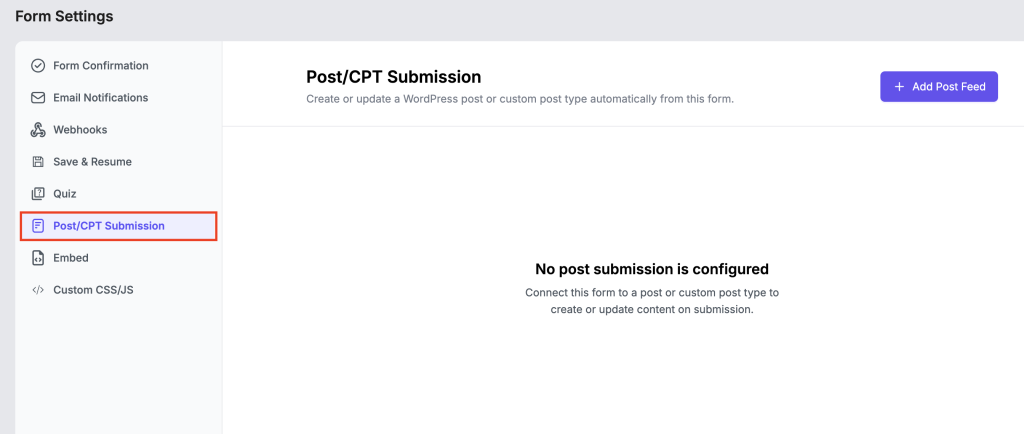
- Enable User CPT/Post submission
- Save incomplete submissions and partial data (conversational forms)
- Export and accessibility support.
The goal was clear. Let users build working forms from day one.
Enter v1.1 – Fixing Real Usage Gaps
Since the launch launch, three needs became obvious, all based on user feedback. Our users wanted:
- Better control over submit buttons
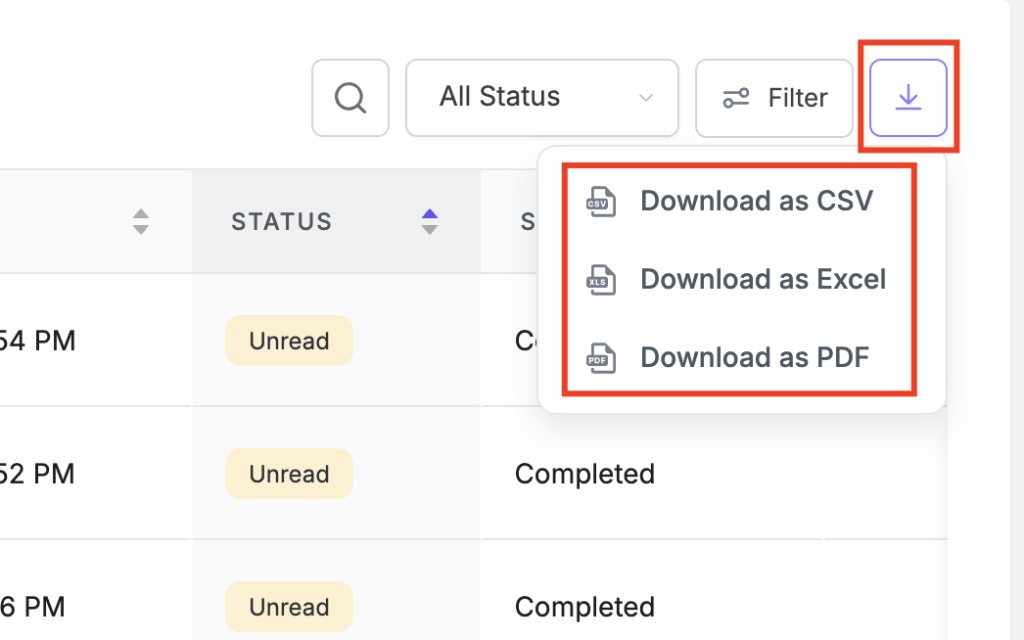
- Reliable export options
- Accessibility support
FormGent v1.1 addressed all three.
- You could now customize the submit button fully. This matters when the form is part of a client-facing page.
- Export issues were fixed. This made reporting and sharing data easier.
- Accessibility support was added. This helps users who need to meet compliance requirements.
- Small fixes like proper auto-scroll in multi-step forms also improved usability.
These changes removed friction that users felt during actual use.
Expanding in v1.2 – New Blocks Added
FormGent v1.2 added two practical blocks to enhangce form structure and user experience.
Range Slider
Lets users select values within a range. Useful for budgets, ratings, or estimates.
Custom HTML Block
Lets you add anything inside a form. Videos, notices, styled content.
This means you don’t need extra tools to extend your form layout. You can keep everything inside one builder.
Cleaner v1.3 – Integrations, Email Control, and UI
FormGent v1.3 was the release where FormGent stopped being a standalone tool and started behaving like part of a workflow. This release focused on how FormGent fits into real workflows.
The Directorist integration was the headline addition – directory site owners who use Directorist can now use FormGent forms natively to collect structured data from listings, replacing static custom fields with dynamic, reusable forms that work inside and outside WordPress via iFrame.
Email notifications got a significant upgrade. The new advanced options in Single Form Settings introduced CC, BCC, Reply-To, From Name, and From Email fields per notification. If you’ve ever had to explain to a client why their contact form replies were coming from a generic WordPress address, this is the fix. You could now control:
- From name and email
- Reply-to
- CC and BCC

Conversational forms were updated to display at full width, transparent form backgrounds became available for designs where a white card doesn’t suit the layout, and all FormGent branding and watermarks were removed from forms across all plans.
On the data side, FormGent v1.3 corrected inaccurate figures in the Analytics tab – specifically Time to Complete, Submissions, and Drop-off rates that had been miscalculated in earlier versions.
Proper v1.4 – with Entries Experience
Before FormGent v1.4, reviewing form submissions meant opening individual forms one by one. For anyone managing more than a handful of active forms, this was friction that added up fast.
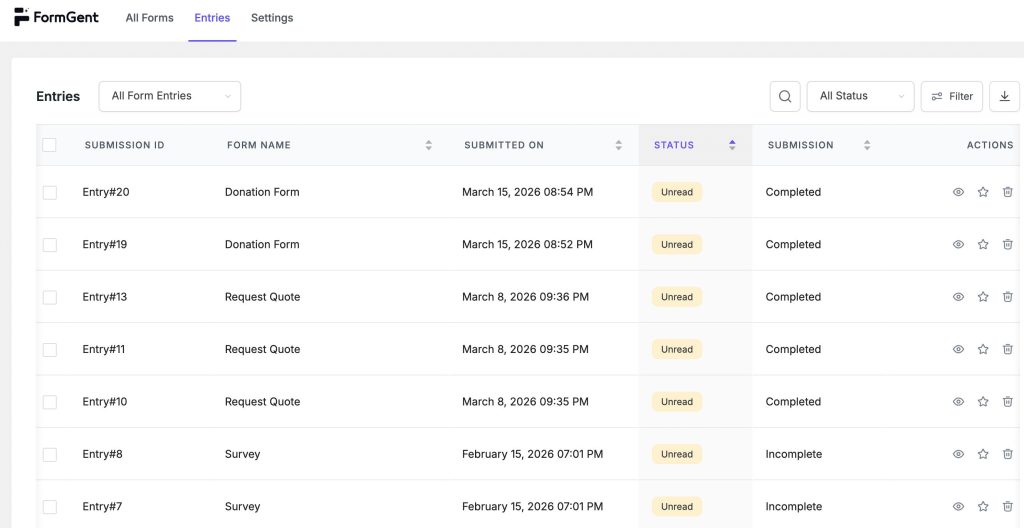
FormGent v1.4 addressed this completely. A dedicated Entries menu now sits in the WordPress sidebar, giving you a single place to see every submission across all your forms. The Entries Dashboard shows a unified table with submission IDs, form names, timestamps, read/unread status, and completion state. A notification badge on the menu item tells you how many new submissions are waiting without you having to go looking.
The single entry view arrived alongside it. Open any submission and you see the full response, submission metadata (browser, IP, OS, username), internal notes, and an Edit Entry button. Being able to correct a submission directly, without asking a user to resubmit, is one of those features that sounds minor until the first time you actually need it.
The All Forms table was also refreshed in v1.4 to show new submission badges directly in the form list, so you can see at a glance which forms have unread responses without leaving the overview.
Milestone v1.5 – The Biggest Release Since Launch
If FormGent v1.0 was the foundation, FormGent v1.5 was the floor above it.
Payments, Rebuilt
Six separate payment blocks were replaced with a single unified Payment block that handles both Stripe and PayPal, one-time and recurring, from one place. The removal of the global “Enable Payment Settings” toggle means payment configuration now lives at the form level, where it belongs.
More significantly, Stripe and PayPal subscription support arrived in FormGent v1.5. You can now collect recurring payments directly through a FormGent form – memberships, retainers, monthly donations without a WooCommerce setup or a third-party subscription plugin.
Save & Resume
The Save & Resume feature solves a problem every long-form owner knows well: users who start a detailed form, get interrupted, and never come back.
With FormGent v1.5, you can enable two layers of protection against abandoned submissions. Auto-save partial entries captures whatever a user has typed so far, even if they close the tab. Save & Resume Link gives users a way to intentionally save their progress and receive a personal link to continue later. Both completed and partial entries appear in your Entries Dashboard, giving you visibility into drop-off that you can act on.
Form Type Switching
Forms can now switch between Classic and Conversational modes from within the editor. If you built a classic multi-step form and want to test it as a conversational experience, or the other way around, you no longer need to rebuild from scratch.
Entry Log and Grading
Every edit made to an entry is now tracked in an Entry Log, so you have a full audit trail of changes across your team. The quiz Grading System also became an independent toggle in form settings, decoupled from the broader quiz configuration for cleaner control.
Lates in v1.5.7, we restored the entry export option in the All Entries table and fixed a Save & Resume edge case where incomplete entries weren’t created correctly when a Repeater field was present in the form.
Trustworthy v1.6 – Verify Before Submit
The newest release introduces something FormGent has never had before: OTP Verification.
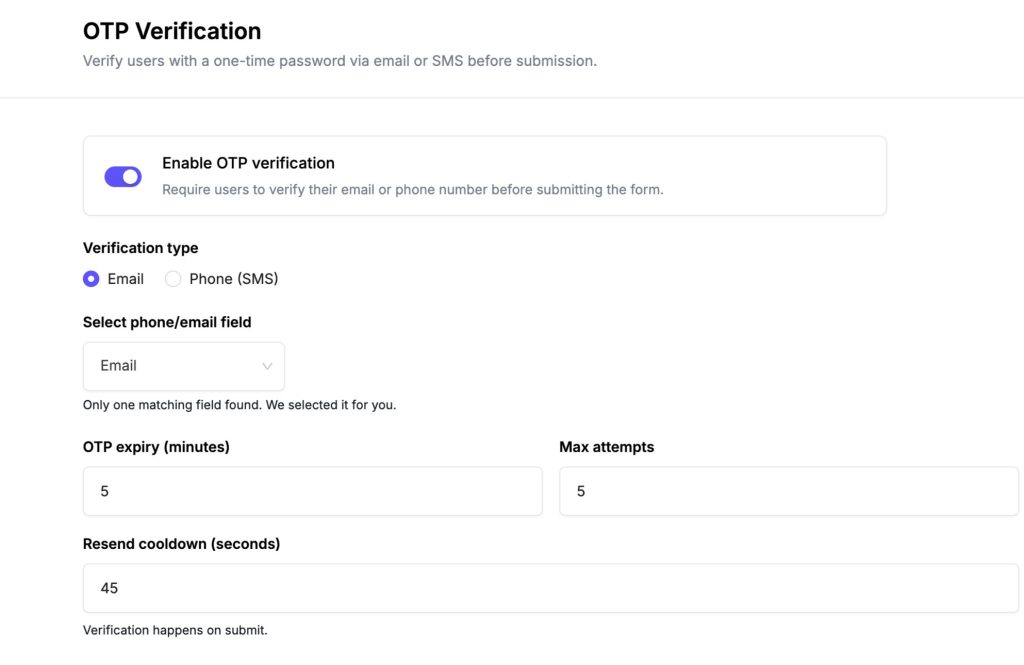
This is a brand-new capability, not an extension of anything that existed in earlier versions. Before v1.6, there was no way to verify that the contact details a user submitted actually belonged to them. Now you can require a one-time code – sent to their email address or directly to their phone number via SMS before a form submission goes through.
The form won’t submit until the code is entered correctly. For lead capture forms where a real phone number is the whole point, booking forms where you need to reach the person afterward, or any form where fake or throwaway contact details are a recurring problem, this closes a gap that no configuration tweak could fix before.
The SMS Gateway integration supports three providers: Twilio, Firebase (Google), and a Custom Gateway for any third-party SMS service with an HTTP endpoint. The gateway is configured once at the global settings level; individual forms then enable OTP from Single Form Settings under OTP Verification.
Full configuration options – expiry time, maximum attempts, resend cooldown, and fully customizable message templates for both email and SMS are covered in the OTP Verification guide.
v1.6 also added default country selection to the Phone Number field, so international forms no longer default to a country that’s wrong for most of your audience.
FYI, FormGent Is Now on AppSumo
FormGent went live on AppSumo last month, and the response from the community is growing exponentially. For anyone who hasn’t used AppSumo before: it’s where entrepreneurs, developers, and agencies go to find the best software tools at lifetime prices, without a recurring subscription.
It’s a platform built on trust – tools are vetted, deals are transparent, and the community leaves honest reviews. FormGent is listed there now starting from $59 for lifetime access – a fraction of what recurring form builder subscriptions cost over time. If you’ve been sitting on the free plan and wondering whether Pro is worth it, this is the clearest answer we can give. Everything in Pro, once, for good.
If FormGent has helped you build better forms, we’d genuinely appreciate your support on the listing. Leave a review. Share it with a colleague. Help other WordPress users in the AppSumo community find a form builder that doesn’t hold features hostage.
What This All Adds Up To
Seven months. Sixteen public releases. A form builder that launched with strong bones and has since grown a complete entries management system, a payments infrastructure that handles subscriptions, a save-and-resume flow that reduces abandonment, and now full OTP verification to add a layer of trust to every submission you receive.
The free plan still covers more than most plugins charge for. But if you’re using FormGent seriously – for payments, partial entries, analytics, CPT submission, digital signatures, or OTP verification – FormGent Pro unlocks all of it with one single subscription.
More is coming. See the roadmap to know what’s next.

S. M. Navid Anjum
Digital Marketing enthusiast who loves to write technical reviews and trendy contents. Currently working with WordPress Plugin Marketing and growth. Open to collaboration and co-marketing opportunities with any SaaS and plugins.


Leave a Reply