
Top 4 Best Online Form Builders for Senior Citizens
-
- Form Builder WordPress Plugins
- 6 mins read

Are you struggling to create forms that are senior-friendly?
Small fonts, confusing interfaces, and complex setups often make form creation and management a frustrating experience for older adults. These challenges add unnecessary stress to caregivers and service providers to navigate the seniors in the right direction.
Sometimes senior citizens get lost and keep the forms incomplete. The modern online form builders for senior citizens offer a seamless solution. With features like larger fonts, drag-and-drop simplicity, AI-powered form creation, high-contrast UIs, and mobile-friendly designs, these tools empower the service providers to let the seniors complete forms independently while allowing caregivers and organizations to focus on what truly matters.
In this article, you’ll read how online form builders benefit seniors, businesses, and caregivers, explore the top 4 online form builders for senior citizens, and learn practical tips to simplify form creation and management.
Let’s dive in!
Who Benefits from Online Form Builders?
Did you know NIH found that adults aged 65 and older are willing to complete online forms and questionnaires in patient portals (2024)?
Pew Research reports showed that the number of tech users aged 65 and older has grown over the past decade as of 2022. More seniors are using technology which makes it easier for them to fill out online forms and registrations.
You can see that online form builders are not just for the tech-savvy people but the senior citizens are accepting it by simplifying tasks like filling out medical forms, organizing events, or collecting feedback.
You can also benefit if you are…
- Family members and caregivers – Save time by enabling seniors to handle their forms.
- Senior community centers and clubs – Streamline event registrations, feedback collection, and membership forms.
- Healthcare providers and social workers – Simplify the process of collecting patient information, and medical history and save time with pre-built automated forms.
- Nonprofits and volunteer organizations – Easily manage volunteer sign-ups, donation forms, and surveys.
- Government agencies – Provide seniors with user-friendly platforms to access services like pension forms, tax filings, or benefit applications.
- Retirement homes and assisted living facilities – Simplify resident intake forms, feedback surveys, and event RSVPs.
Look At The Top 4 Online Form Builders for Senior Citizens to Simplify Your Journey ( Good for Businesses )
Here’s a look at the top 4 online form builders that can simplify your journey and elevate your business operations.
1. FormGent
Do you struggle to create easy-to-use forms for senior citizens? Frustrated by complex form builders that require too much manual work?
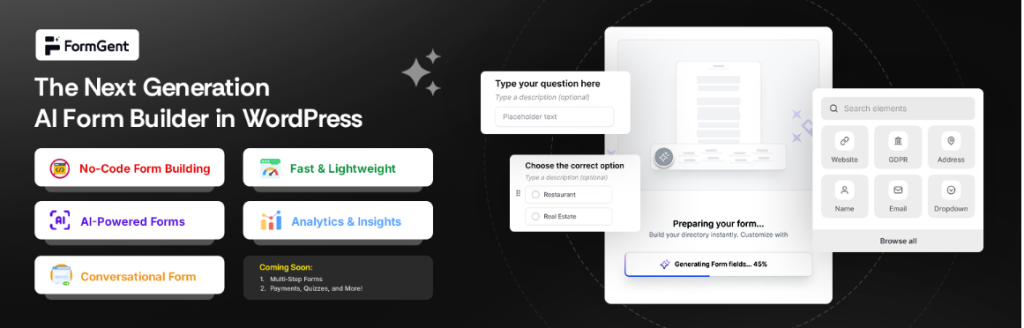
With its AI-powered form builder, FormGent removes the hassle of form creation and doesn’t have to start from scratch. FormGent’s AI can generate forms for you in seconds.
With its AI-powered form builder, FormGent removes the hassle of form creation and doesn’t have to start from scratch. FormGent’s AI can generate forms for you in seconds.
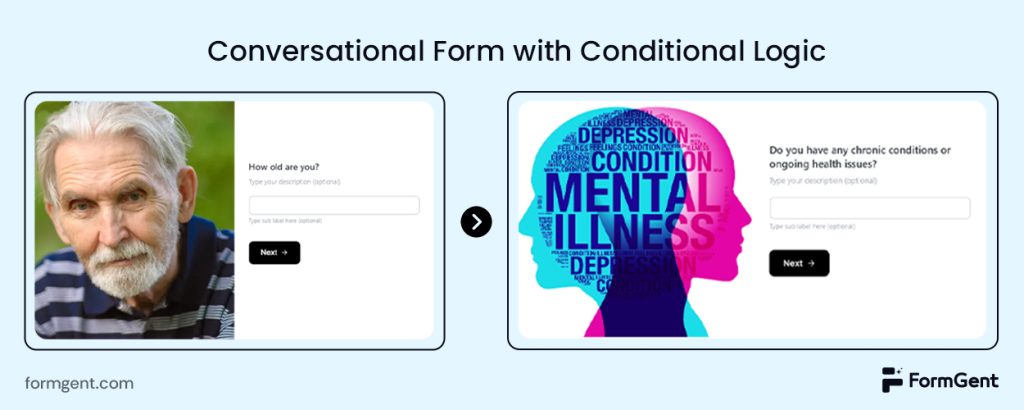
Features like conditional logic show the information based on the senior’s input. Say, you’re asking for their age. If they type 65, the form will ask them the most relevant questions aligned with that age (See the picture above)
FormGent lets you create conversational forms effortlessly. This is not a way that you will show a list of questions and tell them to fill out the form. But here you’re asking the senior citizens one question at a time. It will give them a vibe that they’re talking with somebody in real time.
Webhooks play a crucial role by enabling real-time communication and automation between the form builder and other applications. When a user submits a form, a webhook can instantly send the collected data to a specified URL. This eliminates the need for manual data entry, reduces errors, and speeds up processes. Additionally, webhooks can notify caregivers via email when a senior submits any forms.
Another exciting feature is that FormGent lets you finish the incomplete form so you can come again where you paused. The built-in analytics and reporting will help you track the user activities and anytime you can get an overall picture of anything.
Key features
- Multi-step form creation ( zero learning curve needed to create your first form )
- Conversational form
- Webhooks
- Embed forms using shortcode in your site
- White labelling
- Analytics
- Payments
You can pick one that suits your needs and customize the form effortlessly.
2. Formcraft
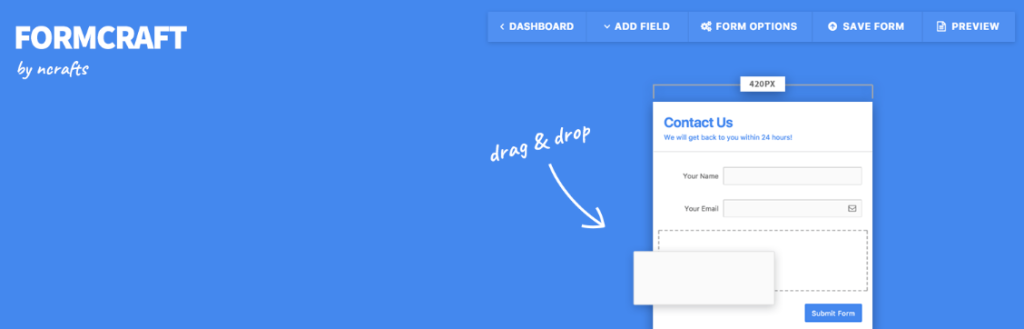
Formcraft is a versatile online form builder. Seniors need reliable guidance, and it delivers comprehensive online documentation and one-on-one support.
Whether it’s a community centre managing senior memberships or a healthcare provider collecting patient information, assistance is always available.
For seniors paying for events, medical services, or subscriptions, FormCraft’s one-click checkout via Stripe makes transactions smooth and secure—no confusing steps or complicated payment processes.
Key features
- Over 20+ form fields (including special fields like star rating, sliders, and matrix)
- Email notifications
- Drag & drop form builder
- Get live email notifications on form submissions
If you’re looking for a user-friendly, accessible, and senior-centric form solution, FormCraft is the perfect choice.
3. GoZen Forms
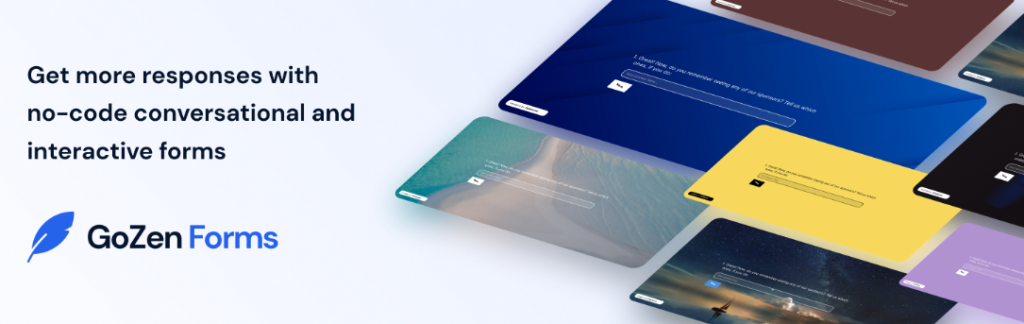
Gozen is another form builder designed with senior citizens in mind. With its intuitive UI form creation is smooth and the forms look good on mobile.
Gozen’s skip logic feature skips irrelevant questions based on previous answers, making forms shorter and easier to complete. Gozen integrates with over 20 apps, including Zapier, HubSpot, and Slack, so you can streamline your workflow without any hassle.
Key features
- 175+ pre-designed form templates
- Share forms faster & easier to multiple platforms.
- Easy to navigate UI
If you’re looking for a form builder that’s easy to use, adaptable, and designed with seniors in mind, Gozen is the answer.
4. NEX-Forms

NexForms is built using the latest web technologies like HTML5, CSS3, and jQuery, ensuring that forms look great on every device. For seniors who may prefer larger screens. NexForms’ responsive design ensures a smooth experience.
Seniors are often targets of online scams, but NexForms’ built-in anti-spam control ensures that forms are secure and free from unwanted submissions.
With NexForms, forms are no longer complicated. They’re a seamless, stress-free experience. Try NexForms today and see why it’s the ultimate form builder for senior citizens.
Key features
- 30+ Form fields and other Elements
- Integrated with Google fonts
- Anti-spam control
- NEX-Forms is WPML-compatible and fully translatable
Tips for Website Owners to Choose Senior-Friendly Online Form Builders
You know how important it is to make your forms accessible and easy to use when you’re serving senior citizens, Here’s a detailed guide to help you choose the right form builder plugin to better serve your senior audience.
- Look for larger fonts and clear UI: Choose a form builder that allows you to adjust font sizes and offers high-contrast colour schemes.
- Prioritize simple form creation: Look for tools such as AI-powered form builders to make form creation as simple as possible.
- Start small and practice: If you’re new to online form builders, starting with the free version can help you upgrade and make the site fully functional.
- Keep forms short and simple: Avoid overwhelming seniors with long forms. Use plugins that allow you to create multi-step and conversational forms. Conditional logic features will let you show only relevant fields, making the process quicker and less intimidating.
- Multi-media form creation option: Look for a form builder that will allow you to create interactive forms with videos and images.
- Test your forms on different devices: As smartphone users are spiking so making the site mobile-friendly will give you an edge.
- Integrate with other tools: Select plugins that support webhooks or integrations with CRM, email, or notification systems. This helps you automate follow-ups and streamline workflows for better service.
- Ensure mobile compatibility: Test your forms on smartphones and tablets. Many seniors use mobile devices, so a responsive design is essential to keep them engaged.
Before You Go…
You know how important it is to keep things simple and stress-free when you’re running a website for senior citizens. That’s where online form builders like FormGent come in. Imagine creating forms in seconds, with clear fonts, easy navigation, and mobile-friendly designs that seniors can use without frustration.
Sounds like a win, right? We hope you benefit from the article by knowing how a simple online form builder can save a ton of time and effort!
If you get the desired value from this write-up then please don’t forget to share the article anywhere.

Leave a Reply