

5 Best WordPress Form Plugins (2025 Editions)
-
- WordPress Plugins
- 10 mins read
WordPress powers up over 472 million websites, and form plugins are a key part of the mix. Whether you’re gathering leads, running surveys, or handling payments, the right plugin can make your life much easier.
The latest data show that forms are essential to user engagement since they are used by more than 40% of WordPress websites through plugins.
Choosing the right one out of the numerous options available feels like searching for a needle in a haystack. Some plugins keep things simple, while others come with advanced features like third-party integrations.
However, the right option should be user-friendly, affordable, and feature-filled but less complicated.
In this blog post, we’ll review the best WordPress form plugins to help you choose the perfect option. So, without further ado, let’s dive in!
How Form Plugins Enhance User Interaction, Lead Generation, and Automation
Form plugins offer essential capabilities to enhance contacts between users, generate leads, and automate website functions. The plugins accelerate business workflows and provide better user interactions while helping organizations make more effective data collection and management possible.
i. Enhancing user interaction through dynamic forms
Form plugins eliminate the traditional way that people use forms by creating dynamic processes that users find more pleasant and intuitive. Conditional logic functionality enables real-time adaptation of the form through user interactions which produces individualized interactions.
The selection of “Business” as occupation triggers ”Company Name and Industry” fields to appear together with the automatic disappearance of unneeded form elements. Users enjoy better focus because this solution prevents unless and helps them stay concentrated.
Real-time validation in forms leads to user guidance that minimizes both mistakes and forms-related frustration. The combination of progress indicators with multi-step forms divides complicated forms into smaller logical sections which raise completion success rates.
ii. Boosting lead generation with strategic form placement
Form plugins help businesses collect leads more efficiently as they provide placement flexibility. Most interestingly, you can place them as pop-ups, inline forms, floating bars, and slide-ins or even you can prompt these forms by user actions like exit intent or time spent on the page on strategically important pages.
For example, an exit-intent pop-up can ask for an email account and give a discount code in return. It captures leads that might have been lost otherwise. Here, businesses can run A/B tests to test different designs, placements, and messages and see which ones give the best conversion rates
iii. Automating workflows for efficiency
The implementation of form plugins enables automation of repetitive work bolstering time-saving and minimizing manual work. When a user submits a form, the plugin can trigger automated email notifications to both the user and the business.
For example, a user who signs up for a webinar might receive a confirmation email, while the organizer gets a notification to add the attendees to their list.
Additionally, integration through Zapier or Make (formerly Integromat) enables businesses to synchronize forms with multiple apps which enables automated operations for adding leads to CRM systems or creating tasks within project management software or updating spreadsheets.
iv. Improving data management and analytics
Form plugins provide robust data management and analytics features, helping businesses make data-driven decisions. Built-in submission tracking and conversion rate analysis allow businesses to measure the performance of their forms.
Advanced plugins offer heatmaps or session recordings to analyze how users interact with forms, identifying pain points like confusing fields or high abandonment rates.
Customizable reports and data export options make it easy to share insights with team members or stakeholders, ensuring continuous optimization of forms.
v. Ensuring security and compliance
Security and compliance are essential for building trust with users. Form plugins address these concerns by offering features like CAPTCHA and reCAPTCHA to prevent spam submissions. SSL encryption ensures that all data transmitted through forms is secure.
For businesses operating in regions with strict data protection laws, plugins often include GDPR compliance tools, such as consent checkboxes, privacy policy links, and data retention settings. These features help businesses protect user data and avoid legal complications.
Best WordPress Form Plugins for Every Use Case
WordPress form plugins serve a variety of purposes, from basic contact forms to advanced surveys, payment processing, and lead generation. Choosing the right form plugin depends on your specific needs. Below are the top WordPress form plugins for every use case.
1. FormGent

FormGent provides WordPress users with an efficient form builder system built to excel in speed and simplicity. The plugin presents its drag-and-drop setup with an uncluttered interface to allow users quick development of forms.
Most significantly, the tool achieves spam protection through Google reCAPTCHA while using AJAX for form submissions and showing real-time form previews. It operates smoothly with Mailchimp email marketing platforms and integrates with Zapier automation systems.
FormGent supports multi-column layouts, custom field validation, and conditional logic for dynamic form behavior. Users can monitor their form submissions in detail through the tool while having export capabilities for efficient data management.
Key Features
- Drag-and-drop form builder with a lightweight interface
- Multi-column form layout support
- Conditional logic for dynamic form behavior
- Google reCAPTCHA for spam protection
- Conversational form
- AJAX-based submissions with real-time validation
- Export form submissions in CSV format
- Save incomplete data
- GDPR compliant
- Data Integration with Webhooks
- Advanced analytics & insights
Pros
✔️ Fast and lightweight, ensuring smooth website performance
✔️ Easy-to-use interface with no coding required
✔️ Strong integration with automation tools and email services
Cons
❌ Lacks advanced payment gateway support
❌ Limited design customization options
Best For
✅ Bloggers, small businesses, and website owners need a simple and efficient form builder
Pricing
? Starts at $39 per year for a single site license
Final Verdict
FormGent is an excellent choice for those who need a fast, simple, and functional form builder without unnecessary bloat. It is ideal for users who prioritize speed and automation over extensive design customization.
2. FormCraft

FormCraft is a highly visual form builder that allows users to create professional-looking forms with customizable themes and animations. It includes a wide range of pre-built templates for contact forms, registration forms, and surveys.
The plugin supports advanced conditional logic, multi-step forms, and real-time form analytics for tracking user engagement. Users can accept payments through PayPal, Stripe, and Razorpay, making it ideal for eCommerce applications.
FormCraft enables file uploads, interactive sliders, and star ratings within forms for enhanced user interaction.
Key Features
- Drag-and-drop form builder with real-time previews
- Pre-designed templates for quick setup
- Multi-step forms with progress indicators
- Major payment gateway integration
- Conditional logic to show/hide fields dynamically
- File uploads, sliders, and rating fields
Pros
✔️ Customizable form designs with interactive elements
✔️ Payment integration for easy transaction processing
Cons
❌ Can be resource-intensive on large websites
❌ Premium version required for advanced features
Best For
✅ Businesses and eCommerce sites that need advanced form customization and payment collection
Pricing
? Starts at $19 for a single add-on.
Final Verdict
FormCraft is a great choice for users who need visually appealing, interactive forms with payment capabilities. It’s particularly useful for businesses that require lead generation and CRM integration.
3. HappyForms

HappyForms is a beginner-friendly WordPress form plugin that utilizes the native WordPress Customizer for real-time form editing. Its intuitive design ensures smooth navigation without requiring third-party page builders.
The plugin includes built-in spam filtering, one-click submission tracking, and mobile-optimized forms for a seamless user experience. It also supports conversational forms, allowing users to answer one question at a time for better engagement.
HappyForms integrates with Google Analytics, enabling detailed insights into form conversions. It also provides GDPR compliance tools, including data storage preferences and user consent checkboxes for legal compliance.
Key Features
- Built into the WordPress Customizer for easy editing
- Supports conversational forms for improved engagement
- Mobile-friendly and fully responsive
- Spam protection with Google reCAPTCHA
- GDPR compliance tools with user consent checkboxes
- Google Analytics integration for tracking conversions
Pros
✔️ Intuitive and user-friendly interface
✔️ Built-in GDPR compliance features
✔️ Works seamlessly with WordPress Customizer
Cons
❌ Limited third-party integrations compared to competitors
❌ Advanced features require a premium plan
Best For
✅ Beginners and website owners who prefer a native WordPress experience
Pricing
? Starts at $89 per year for the premium version
Final Verdict
HappyForms is ideal for WordPress users who want a simple, native experience without extra complexity. It’s perfect for small businesses and bloggers who need a reliable and GDPR-compliant form solution.
4. NEX Forms
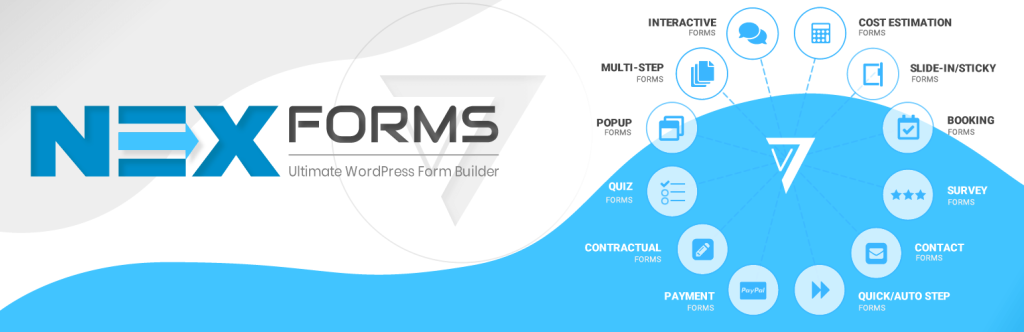
NEX Forms is a highly customizable form builder that offers over 40 field types, making it one of the most feature-rich plugins available. Its live drag-and-drop editor provides instant previews, streamlining the form-creation process.
The plugin includes multi-step forms, mathematical calculations, and custom styling options for complete design flexibility. It also supports conditional logic, allowing users to display or hide fields based on user input dynamically.
NEX Forms offers built-in email notifications, detailed submission reports, and AJAX-based form submissions. It integrates with third-party tools like Google Sheets, Campaign Monitor, and Salesforce for enhanced workflow automation.
Key Features
- 40+ form field types for extensive customization
- Drag-and-drop editor with live previews
- Multi-step forms with conditional logic
- Mathematical calculations for pricing forms
- Email notifications with autoresponders
- Integration with Google Sheets, Salesforce, and Mailchimp
Pros
✔️ Extremely customizable with advanced features
✔️ Strong third-party integrations, including CRM tools
✔️ Multi-step and complex forms with calculations
Cons
❌ Learning curve due to extensive customization options
❌ Slightly higher price compared to basic form builders
Best For
✅ Power users, developers, and businesses needing highly advanced forms
Pricing
? $49 (one-time fee) for the premium version
Final Verdict
NEX Forms is perfect for users who need powerful customization and advanced form logic. It’s best suited for businesses that require complex multi-step forms and integrations with CRM systems.
5. weForms

weForms is a fast and lightweight WordPress form plugin that focuses on performance and ease of use. It provides an extensive template library, enabling users to deploy ready-made forms in seconds.
The plugin supports real-time form validation, multi-step forms, and WooCommerce integration for seamless eCommerce functionality. It also allows payment collection via PayPal and Stripe, making it ideal for order forms and donations.
Users can also export form entries to CSV or connect forms with Google Sheets for efficient data management.
Key Features
- Drag-and-drop builder with pre-built templates
- Real-time form validation and AJAX submission
- Multi-step forms with conditional logic
- PayPal and Stripe payment gateway integration
- WooCommerce support for eCommerce sites
- Webhook support for automation
Pros
✔️ Fast and lightweight for better performance
✔️ Integrates well with eCommerce and automation tools
✔️ Simple and intuitive UI for beginners
Cons
❌ Limited customization compared to more advanced builders
❌ Some premium features require higher-tier plans
Best For
✅ eCommerce websites and business owners needing quick form deployment
Pricing
? Starts at $49 per year for the premium version
Final Verdict
weForms is a great option for users who need a fast and efficient form builder with WooCommerce and payment integration. It’s ideal for eCommerce businesses and those looking for quick automation options.
What to Look for in a WordPress Form Plugin
Choosing the right WordPress form plugin can make a big difference in how you collect and manage user data. Hence, consider some exclusive features before diving into buying intention. Here are a host of features that we recommend for online form users to consider.
i. Ease of use and customization
The right WordPress form plugins feature a drag-and-drop builder that enables users without coding ability to rapidly build their forms. Search for an extension that comes with premade form templates since these make modifications less complicated. Moreover, compatibility with Elementor, Gutenberg, or WPBakery page builders will boost your productivity to an incredible height.
ii. Types of forms and fields
The optimal form plugins deliver support for different types of forms that span from contact forms to registration forms to payment forms and surveys as well as multi-step forms. Individuals should select plugins that provide features such as dropdown menus and checkboxes along with file upload functions and conditional rules for powerful interactive forms.
iii. Integration with third-party services
If you plan to use your forms for lead generation or automation, you should choose a tool that integrates with CRM platforms like HubSpot, Salesforce, or MailChimp. Payment gateway support (PayPal, Stripe) is essential for e-commerce and donation forms.
iv. Security and spam protection
Since forms are a common entry point for spam, ensure the plugin includes built-in security measures such as Google reCAPTCHA, honeypot fields, and anti-spam filters. If handling sensitive data, ensure the plugin supports GDPR compliance.
v. Performance and mobile responsiveness
Loading speed is an important factor for any website. The cluttered and heavy tool always slows down your website. In this case, the lightweight plugin makes the difference on the ground. Hence, your next online form should be lightweight just to ensure your website moves smoothly.
vi. Conditional logic and automation
Conditional logic is essential for building dynamic forms that adapt based on user input. With this functionality, you can control which fields are displayed or hidden, guide users to different sections, or trigger customized email notifications depending on their responses. It’s a powerful way to create a more personalized and intuitive experience.
vii. Email notifications and confirmation messages
A good plugin should support automatic email notifications to alert site admins and users of form submissions. Customizable confirmation messages or redirection options enhance the user experience after form submission.
viii. Data storage and export options
Ensure that form submissions are stored in your WordPress dashboard and that you can export entries in formats like CSV, Excel, or PDF. This is particularly useful for data analysis and lead management.
ix. Pricing and licensing
Many form plugins offer free versions with limited features and premium versions with advanced capabilities. Consider your budget and needs before choosing between free plugins like FormGent.
Conclusion
Finally, we have reached the endpoint. We have reviewed 5 free options for the WordPress form plugin, though, all options come with premium plans. Once, you have explored the free versions and decided to extend the functionality, then upgrading to the premium plan is worth it.
In this case, we highly recommend options like FormGent that make form-building fun with extended functionalities with affordability. The user-friendliness is a plus.
No matter which plugin you decide to go with, we’d love to hear about your experience. Leave a line of words in the comment section below sharing your journey with the tool.
Again, if you think we missed a great form plugin that deserves a spot on this list, don’t hesitate to let us know. We would be more than happy to cooperate with you in the best way possible!

Md. Hamim Khan
Md Hamim Khan is the Content and SEO Manager at FormGent, where he creates engaging content that helps improve online visibility. When he’s not at work, he loves playing cricket and enjoys chatting with friends, family, and colleagues.


How to Add a File Upload Field to a WordPress Form (Free)
August 24, 2026[…] Best WordPress Form Plugin, if you’re still comparing form builders […]