
Best Plugins To Create Multi Step Form In WordPress (Free & Paid)
-
- WordPress Plugins Form Builder
- 10 mins read
Tired of wasting time trying to find the best plugin to create multi step form in WordPress?
You’re not alone. With dozens of options out there – and even more conflicting advice—choosing the wrong form builder can cost you hours of effort, money, and lost conversions.
Many users get stuck with limited features, clunky designs, or overpriced plugins that just don’t deliver.
That’s why we’ve created this solid guide – to help you cut through the noise and find the best multi step form builder that fits your exact needs. Whether you’re building survey forms, lead generation forms, or advanced multi step workflows—this blog covers both free and paid WordPress plugins that make the process smooth and frustration-free.
Why Multi Step Forms Matter In 2025
In today’s digital world, user attention spans are shorter than ever – on average just 8.25 seconds. That’s less than a goldfish! As a result, long and cluttered forms often get abandoned midway. This phenomenon, known as form fatigue, significantly hurts conversion rates and user engagement.
So, what’s the solution?
In such a short attention window, asking users to complete a lengthy form in one go often leads to abandonment. A multi step form breaks the experience into smaller, manageable segments, helping users progress steadily through complex workflows—from payment forms to quizzes—without feeling overwhelmed.
Key Features To Look For In A WordPress Multi Step Form Plugin
Whether you’re already using a multi step form or just starting to explore its potential, understanding the key features of a great multi step form builder can make all the difference. Before you choose the right tool, it’s important to know what capabilities truly enhance form performance and user experience—especially when creating a multi step form in WordPress. Let’s dive into the must-have features that set the best multi step form wordpress plugins apart.
Drag-and-Drop Builder
Easily build complex multi step forms without writing a single line of code.
Smart Conditional Logic
Show or hide fields depending on user inputs to make personalized and dynamic form flows.
Mobile-Responsive Design
Ensure your multi step forms look and function perfectly on all devices.
Field Validation & Error Messages
Guide users with real-time feedback to collect accurate and complete data.
Third-Party Integrations
Seamlessly connect your form with CRM tools, email marketing platforms, Google Sheets, and more.
Security Features
Protect submissions with spam filters like reCAPTCHA, hCaptcha, and GDPR-friendly settings.
Conversion Analytics
Monitor form performance and optimize steps for higher completion rates.
These are the essential features to look for when choosing the best multi step form for your WordPress site. So, why wait? Let’s dive in and explore the top plugins that can help you build smarter, more effective forms.
Best Multi Step Form Plugins For WordPress (Free & Paid)
Choosing the right multi step form builder can be a game-changer for your website’s user experience and conversions. Below is a curated list of the best WordPress form plugins with detailed breakdowns of free vs. pro features, helping you decide faster.
Don’t forget to check out: How to Create a Multi Step Form in WordPress (No Code)
FormGent
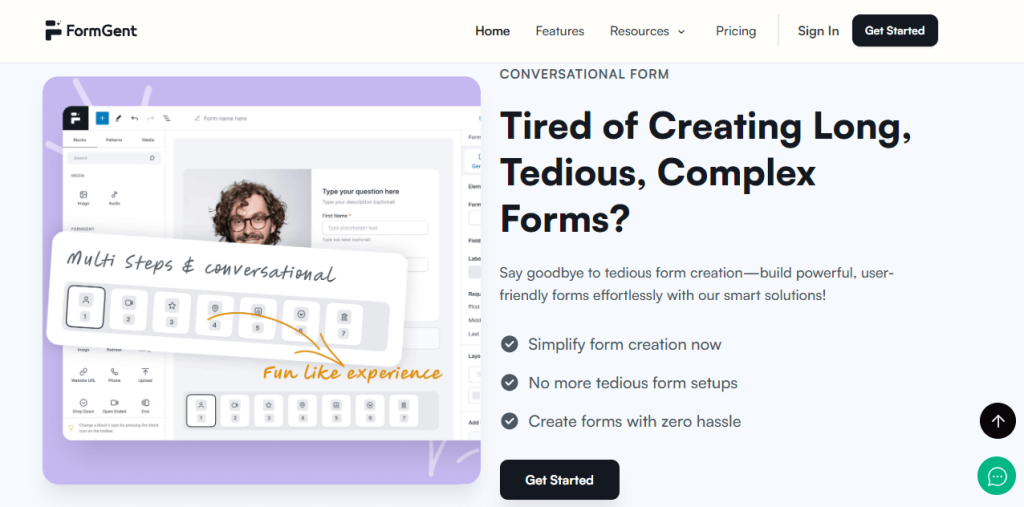
Key Features:
- Multi step form builder – Free
- AI-powered form generation – Free
- Conditional logic – Free
- Conversational form mode – Free
- Google Sheets integration – Free
- Zapier integration – Free
- Pre-built form templates – Free (Coming Soon)
- Drag-and-drop builder – Free
- Payment integration (PayPal, Stripe) – Free (Coming Soon)
- Conversational UI with progress indicators – Free
- Analytics dashboard – Pro
- Save incomplete form data – Pro
- Conditional email routing – Pro
Pros:
- Most core and advance features in free plan
- AI-powered, intuitive workflow
- Great for lead gen, onboarding, surveys
- Seamless integration with Directorist
- Super budget friendly option for small and medium business.
Cons:
- Limited add-on library (growing)
- Relatively new plugin
Perfect For: Beginners, marketers, and teams looking for modern, AI-enhanced form building with rich features—without paying a huge budget.
WPForms
Key Features:
- Drag-and-drop builder – Free
- Templates for quick setup – Free
- Multi step forms – Pro
- Conditional logic – Pro
- Payment integrations (Stripe, PayPal) – Pro
- Entry management dashboard – Pro
- File upload, signature, calculations – Pro
Pros:
- Intuitive UI for non-tech users
- Large community and tutorials
- Great support
Cons:
- Most powerful features locked in Pro
- Pricey for startups
Perfect For: Users who prioritize simplicity, reliability, and strong support—with a good budget for pro features.
Fluent Forms
Key Features:
- Drag-and-drop builder – Free
- Conditional logic – Free
- Multi step forms – Pro
- Conversational form style – Free
- Google Sheets & Mailchimp integrations – Free
- Analytics dashboard – Pro
- Payment options (Stripe, PayPal) – Pro
- AI form assistant – Free
Pros:
- Powerful even in free tier
- Fluent ecosystem (CRM, Booking, SMTP)
- Lightweight with quick load time
Cons:
- Multi step form & payments in Pro
- Learning curve for advanced workflows
Perfect For: Growing businesses and users looking for flexibility and speed with basic options with free version.
Formidable Forms
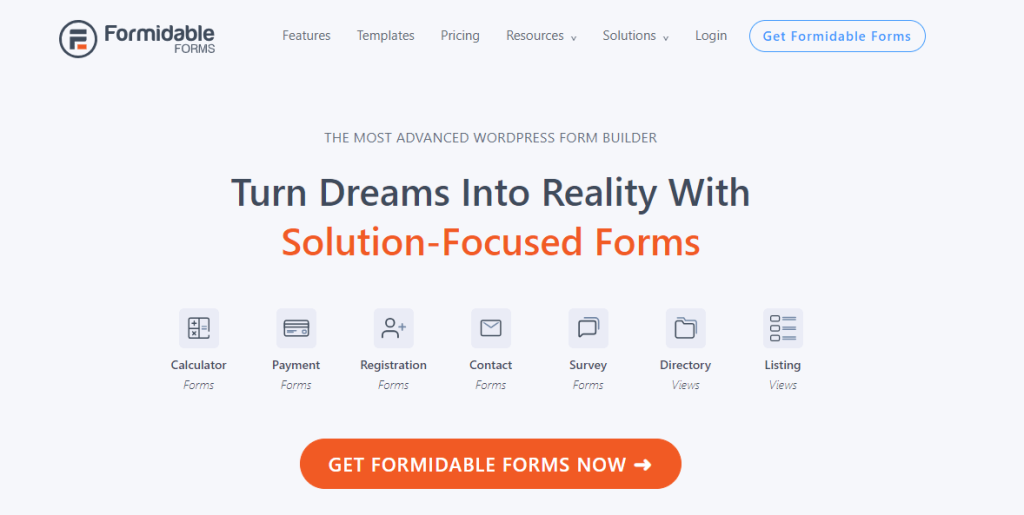
Key Features:
- Drag-and-drop builder – Free
- Multi step form builder – Pro
- Conditional logic – Pro
- Repeater fields, dynamic data – Pro
- Calculations, custom styling – Pro
- Payment & WooCommerce integration – Pro
- Views to display entries as listings – Pro
Pros:
- Ideal for advanced data collection
- Strong community
- Can build full web apps
Cons:
- Most core features are Pro-only
- Not ideal for beginners
Perfect For: Developers or agencies who need advanced control for large-scale projects or form-based apps.
SureForms
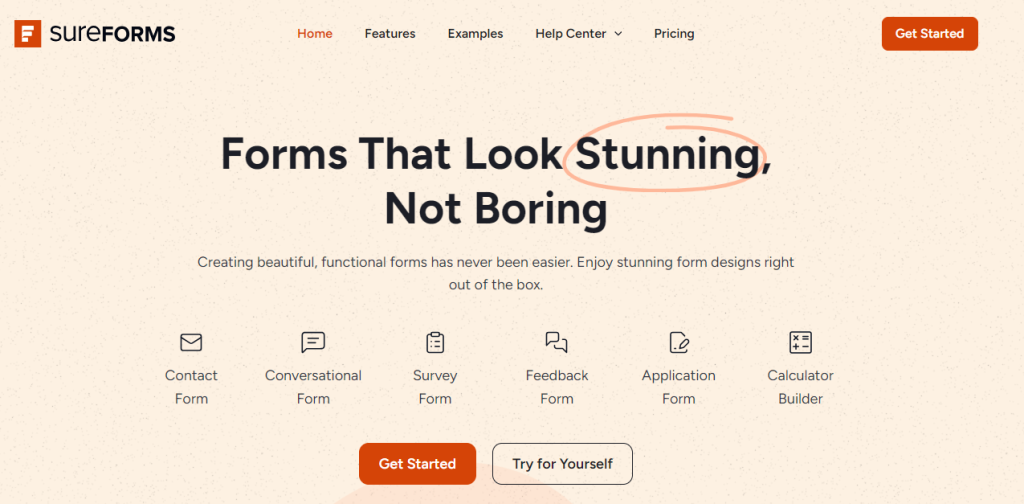
Key Features:
- Drag-and-drop builder – Free
- Multi step forms – Pro
- Conversational UI – Pro
- Conditional logic & email routing – Pro
- Zapier, webhook integrations – Pro
- Mobile-optimized layouts – Free
Pros:
- Clean UI, simple setup
- Focus on user-friendly forms
- Fast form loading
Cons:
- Most features are Pro-only
- Limited community support
Perfect For: Users who want a modern conversational form builder with light usage needs.
Forminator (by WPMU DEV)

Key Features:
- Multi step forms – Free
- Conditional logic – Free
- Quizzes, polls, and calculations – Free
- Google Sheets & Stripe integrations – Free
- Drag-and-drop builder – Free
- Spam protection (reCAPTCHA, etc.) – Free
Pros:
- Zero paywall for core features
- Highly interactive form types
- Ideal for educators, content creators
Cons:
- Slightly bulky plugin
- No AI integration
Perfect For: WordPress users looking for completely free, feature-packed forms with interactive elements like quizzes and polls.
Comparison Table: Best WordPress Multi Step Form Plugins
After reading the features of all different plugins, you’re about to start the war of paper and pen. We know it’s a bit challenging to find out the best match for you. On the other hand, the calculation is essential to find out the best plugin for you. To make the decision easier, we made a comparison table for you. Have a look and get a clear idea to make your decision more accurate and precise.
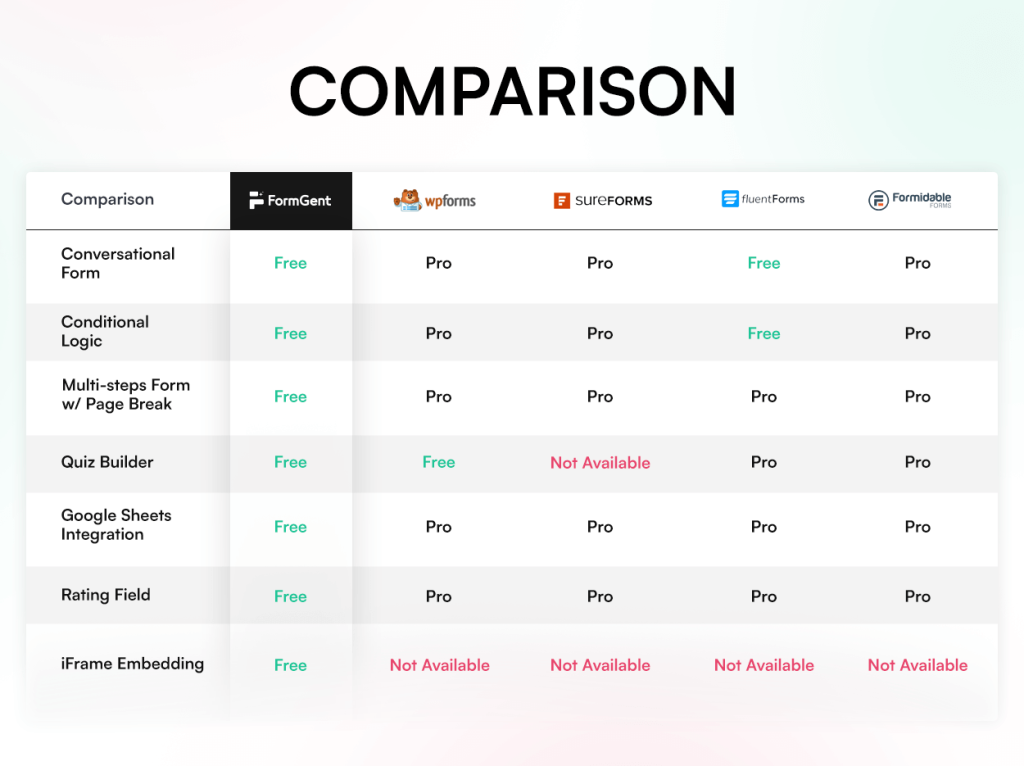
N:B: Note that the information provided above is subject to change over time.
Use Cases For Multi Step Forms In Real Websites
Multi step forms aren’t just about breaking a long form into smaller parts—they’re about improving user experience, boosting conversions, and making your website feel more modern and interactive. Below are the most impactful use cases where multi step form builders shine:
Lead Generation
Multi-step forms help qualify leads by collecting user information in a structured, progressive way. Instead of overwhelming users with too many fields at once, break the form into stages. This improves completion rates and helps you gather more meaningful data.
Product Survey
Multi step surveys are easier to digest and more engaging than single-page forms. Each step can focus on a single aspect of the product—like usability, pricing, or feature requests—making the experience feel less like a chore.
Online Payment Form
Payment forms often ask for sensitive and detailed information: contact, billing, product details, and payment method. Splitting these into steps builds trust and reduces friction—especially when users can see a progress indicator.
Appointment and Booking
Multi step forms simplify the booking experience by guiding users through service selection, availability, time slot, and personal info. It creates a seamless flow that ensures fewer drop-offs and more confirmed appointments.
Event Registration
For events—whether virtual or in-person—you may need to collect attendee info, session preferences, group size, and payment. A multi step registration form makes this flow user-friendly while reducing form fatigue.
Job Application
Job applications often require education, work history, resume uploads, and a cover letter. A multi-step form breaks down each section. It helps candidates manage the process better and appear more professional.
Newsletter Signup
Even something as simple as a newsletter signup can benefit from a multi step flow—like collecting interests and frequency preferences after getting the email. This data helps segment your email list and send better-targeted content.
Multi step forms are not just trendy—they’re essential for delivering better user experiences, increasing conversions, and collecting accurate, actionable data. Whether you’re capturing leads, receiving payments, or hiring talent, using a multi step form builder makes the process smarter and smoother.
Here are even more real-world use cases where multi step forms provide excellent results:
- Support Ticket Form
- Quote Request Form
- Course Registration
- NPS (Net Promoter Score) Survey
- Contact Us / Inquiry Form
- Student Feedback Form
- Employee Onboarding
- Workshop Registration Form
- RSVP Form
- Fundraising Registration
The possibilities with multi step forms are virtually boundless.
Whether you want to boost conversions, improve the user experience, or streamline data collection—multi step forms help users stay focused, reduce overwhelm, and complete their actions with confidence. From simple sign-ups to complex onboarding workflows, the right multi step form builder transforms how you interact with your visitors.
Which Multi Step Form Plugin Is Best For You?
Choosing the best multi step form plugin for WordPress isn’t just about fancy layouts or dazzling buttons—it’s about user experience, data accuracy, and conversions. Whether you’re capturing leads, onboarding users, accepting payments, or running a survey—multi step forms simplify the process and make it less overwhelming for your visitors.
Now, every plugin we’ve covered—WPForms, SureForms, Fluent Forms, Formidable Forms—brings something valuable to the table. Some offer a minimal learning curve, others boast a broad integration ecosystem, and a few shine when it comes to design customization. Depending on your goals and budget, you may find a great fit among them.
But here’s the thing…
If you’re looking for a plugin that offers more power, flexibility, and premium-level features for free—FormGent stands out.
It gives you access to multi step forms, conditional logic, Google Sheets, Zapier integration, conversational forms, quiz builder, and even AI-powered form creation, all in the free plan. That’s something you’ll rarely find bundled together without an upgrade.
In the end, you know your website needs best—and the right form builder should serve your purpose, not stretch your budget.
Our suggestion?
If you’re just starting or want the most functionality without paying upfront, give FormGent a try. It’s modern, smart, incredibly easy to use—and it’s built to grow with you.
Start building your first multi step form today!
FAQ: Multi Step Forms In WordPress
What is a multi-step form in WordPress?
A multi-step form, or multi-page form, breaks down long forms into individual pages or sections. This helps users fill out the form more easily. Each section highlights only a few fields, which lessens the feeling of being overwhelmed and enhances user interaction.
Do multi-step forms really increase conversions?
Yes! Studies show multi-step forms can significantly improve conversions—sometimes by up to 300%—because they reduce cognitive load and make the completion process smoother.
When should I use a multi-step form instead of a single-page form?
Use a multi-step format when collecting detailed or sensitive information, such as registrations, bookings, applications, and surveys. For quick tasks, like signing up for newsletters or basic inquiries, single-step forms are ideal.
Are multi-step forms mobile-friendly?
Absolutely. Multi-step forms are often more mobile-friendly than long single-page forms because they’re easier to navigate on smaller screens. With responsive design and proper layout, users can complete each step with minimal scrolling
Is it possible to include conditional logic in multi-step forms?
Yes. Many form builders allow you to use wordpress multi step form with conditional fields, showing or hiding fields or entire steps based on previous answers. This keeps your form useful and relevant for the user.
How many steps are needed in a multi-step form?
Best practices suggest 5–10 steps max, each focusing on a clear group of fields. Too many steps can frustrate users, while too few may still feel overwhelming.
Is it possible for users to save their progress and come back to complete the form later?
Many advanced form builders offer save-and-resume functionality, allowing users to pause and finish the form later. This feature is valuable for longer workflows like job applications or detailed surveys
What is the best method to choose a multi-step form plugin for WordPress?
Choosing the best multi-step form plugin depends on your needs, technical comfort, and budget. If you’re looking for a modern solution with built-in AI form generation, conversational interfaces, and rich integrations—FormGent stands out as a surprisingly powerful free option that covers more ground than many paid plugins.
Prefer something with a classic, beginner-focused interface? WPForms Pro is a widely used premium choice with a straightforward builder.
If speed and customization are key, you might explore Fluent Forms or Formidable Forms, both offering reliable multi-step functionality.
Need a completely free plugin for polls, quizzes, and step-based forms? Forminator is a solid pick—though you may need add-ons for advanced workflows.
If you’re just getting started or want maximum value without extra cost, give FormGent a try. You might be surprised how far the free version takes you.
How do single-step forms differ from multi-step forms?
Single-step forms show all input fields on a single page. They’re ideal for simple tasks like contact forms, newsletter signups, or basic feedback forms.
Multi-step forms separate the form into various parts or steps. Users complete one part of the form at a time, making it feel less overwhelming and more engaging.

Rezaul Karim
Rezaul Karim is a passionate Digital Marketer driven by curiosity and creativity in the ever-evolving world of online marketing. With over 6 years of hands-on experience in Content Writing, Copywriting, SEO, and Social Media Marketing, he brings a strategic edge to crafting content that engages and converts. Always eager to explore new trends and tools, Rezaul thrives on finding smarter ways to connect brands with their audiences. Outside of work, he enjoys diving into books or recharging in nature.


Leave a Reply