

Best Contact Form Plugins for WordPress in 2026
-
- WordPress Plugins
- 26 mins read

Looking to capture more leads from your WordPress website?
With hundreds of WordPress contact form plugins available, picking the right one feels harder than it should. Some are too basic and break the moment you need one extra feature. Some are powerful but charge you separately for every capability you actually need. And some look great on the surface but quietly fail at the one job they exist to do — getting messages from your visitors into your inbox.
We’ve been there. So we installed and tested 11 of the most popular WordPress contact form plugins to save you the trial and error. We built real forms with each one — contact forms, multi-step forms, payment forms, and conditional logic forms — and paid close attention to what worked, what frustrated us, and what we’d never recommend to a client.
Whether you’re a complete beginner setting up your first site, a small business owner tired of missing leads, or a developer building complex form workflows for clients — this guide is written for you.
By the end, you’ll know exactly which plugin fits your situation, your budget, and your technical comfort level — without having to install a single one to find out.
Let’s dive in!
How We Tested These Plugins
I’ll be straight with you — there’s no shortage of “best contact form plugin” articles online. Most of them read like repackaged feature lists pulled from each plugin’s own marketing page. That’s not what this is.
Before recommending any plugin on this list, we cross checked with these following criteria:
| Criteria | What I Looked At |
|---|---|
| Setup & ease of use | Could a beginner get a form live in under 10 minutes? |
| Form builder UX | Drag-and-drop or code required? |
| Spam protection | reCAPTCHA, honeypot, or both? |
| Email deliverability | Did test submissions actually arrive? |
| Free version quality | Genuinely useful or just bait to upgrade? |
| Integrations | Mailchimp, Zapier, CRM, and payment support? |
| Performance impact | Did the plugin slow the page down? |
| Value for money | Do the paid features justify the price? |
I also paid attention to the things review articles rarely mention — how the plugin behaves when something goes wrong, how clear the error messages are, and whether the support documentation actually answers real questions or just restates the obvious.
Every rating and recommendation in this guide reflects what I found through that process — not affiliate rankings, not sponsored placements.
Quick Comparison: 11 Best Contact Form Plugins for WordPress at a Glance
If you’re short on time and need a fast answer, this table covers everything you need to make a confident decision. We’ve ranked all 11 plugins across the criteria that matter most to a real buyer.
| Plugin | Best For | Free Version | Starting Price | Ease of Use | Our Rating |
|---|---|---|---|---|---|
| FormGent | AI-powered forms + free premium features | ✅ Yes | $39/year | ⭐ Very Easy | 4.9/5 |
| WPForms | Beginners & small businesses | ✅ Yes | $49.50/year | ⭐ Very Easy | 4.8/5 |
| Gravity Forms | Developers & agencies | ❌ No | $59/year | ⭐⭐⭐ Advanced | 4.7/5 |
| Formidable Forms | Data-driven apps & complex forms | ✅ Yes | $39.50/year | ⭐⭐ Moderate | 4.6/5 |
| Ninja Forms | Modular / pay-per-feature users | ✅ Yes | $99/year | ⭐⭐ Moderate | 4.5/5 |
| Fluent Forms | Lightweight & performance-first sites | ✅ Yes | $79/year | ⭐ Very Easy | 4.7/5 |
| HubSpot Forms | Marketing teams on HubSpot CRM | ✅ Yes | Free / $15/month | ⭐ Very Easy | 4.5/5 |
| Forminator | Best free all-rounder | ✅ Yes | $90/year (WPMU DEV) | ⭐ Very Easy | 4.3/5 |
| Typeform | Conversational & design-first forms | ✅ Limited | $25/month | ⭐ Very Easy | 4.2/5 |
| JotForm | Workflows, approvals & team collaboration | ✅ Limited | $34/month | ⭐⭐ Moderate | 4.2/5 |
| Contact Form 7 | Free minimalist & developer use | ✅ Free only | Free | ⭐⭐⭐ Code-based | 4.0/5 |
A few things worth noting before you dive into the full reviews:
- Free doesn’t always mean limited. FormGent, Fluent Forms, and Forminator offer free versions that genuinely compete with paid plans from other plugins on this list.
- Typeform and JotForm are SaaS tools, not native WordPress plugins. Your form data lives on their servers, not your WordPress database. Worth knowing before you commit.
- Gravity Forms and Contact Form 7 sit at opposite ends of the spectrum — one is premium-only with no free trial, the other is completely free with no paid version. Both are excellent at what they do, for very different users.
- Ease of use ratings reflect real first-time experience — not what’s possible after hours of documentation reading.
11 Best Contact Form Plugins for WordPress (Detail Review)
1. FormGent – Best Contact Form Plugin for WordPress that Offers Premium Features Free
If you’ve been jumping between form plugins trying to find one that doesn’t nickel-and-dime you for every feature, FormGent is where that search ends. It’s one of the freshest names on this list, but don’t let that fool you — as the best contact form plugin for WordPress that bundles AI form creation, conversational forms, incomplete submission recovery, and built-in payments all into a free plan, it punches well above its weight. There’s no separate dashboard to figure out, no new interface to learn — it lives right inside the WordPress block editor where you already work. Type a prompt, get a form. Publish it like any other page. That’s genuinely how fast it is.
? Key Features
- AI form builder — generate complete forms from a plain-text prompt
- Conversational & multi-step forms — one-click toggle, no rebuilding required
- Incomplete submission saving — auto-saves progress and sends visitors a resume link
- Built-in quiz builder — includes scoring logic and result display
- Stripe & PayPal payments — supports one-time and recurring subscriptions
- Analytics dashboard — tracks submissions, drop-offs, and user behavior per form
- PDF generation — export form responses as PDFs without extra plugins
- Integrations — Google Sheets, Zapier, Mailchimp, Zoho CRM, and more
⭐ What I Liked
- Free version includes conditional logic, OTP verification, and Google Sheets — features others charge for
- Conversational form toggle works instantly — no rebuilding from scratch
- Feels native to WordPress — no separate system to learn
- PDF generation is built-in — saves you installing another plugin
⚠️ What I Didn’t Like
- Smaller third-party integration library compared to WPForms or Gravity Forms (Zapier covers most gaps)
- Less Template than other form builders though AI form builder can covers it.
? Use Cases
Small business owners, coaches, agencies, and course creators who want smart multi-step forms, quiz funnels, or payment forms — without paying premium prices for premium features.
? Pricing: Free version available. Paid plans start at $39/year.
2. WPForms — Best for Beginners Who Want a Form Live in 5 Minutes
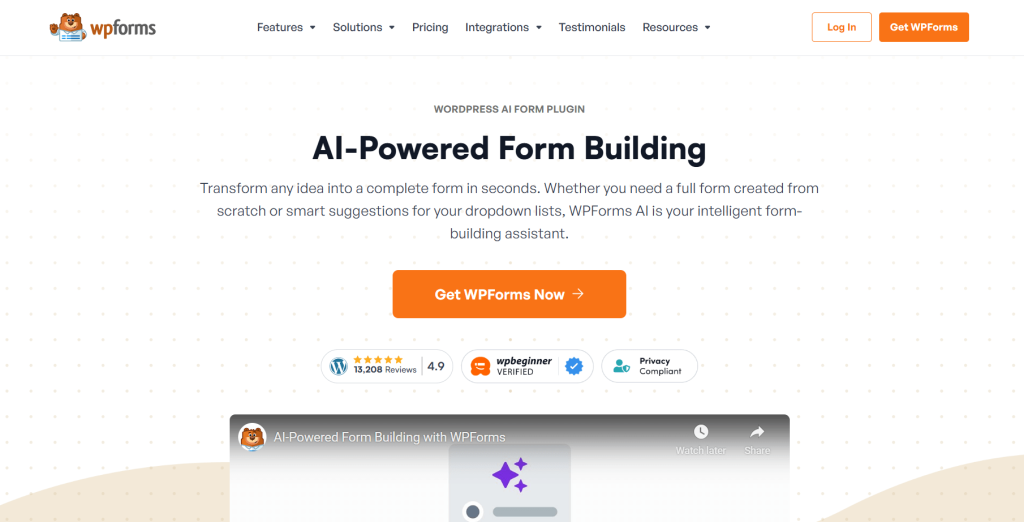
If you’ve ever Googled “how to add a contact form to WordPress,” WPForms was probably the first name you saw — and for good reason. With over 6 million active installs, it’s the most widely used premium wp contact form plugin on the market, trusted by brands like Zapier, GoDaddy, and HubSpot. The drag-and-drop builder is genuinely beginner-friendly — no coding, no configuration maze, no frustration. Pick a template from the 2,000+ library, customize your fields, embed it on any page. Most users have their first form live in under five minutes.
? Key Features
- Drag-and-drop builder — real-time live preview as you build
- 2,000+ pre-built templates — contact forms, surveys, payments, registrations, and more
- Smart conditional logic — show or hide fields based on user responses
- Built-in spam protection — honeypot, hCAPTCHA, and Google reCAPTCHA included
- No-code workflow automation — route form data to CRMs, Slack, or Notion automatically
- Payment integrations — Stripe and PayPal supported on higher plans
⭐ What I Liked
- Template library is the best in class — there’s almost always one that matches your use case
- Entry management inside WordPress dashboard is clean and easy to navigate
- Mobile-responsive forms out of the box — zero extra configuration needed
- Excellent documentation — beginners rarely need to open a support ticket
⚠️ What I Didn’t Like
- Zapier integration sits behind the Pro plan ($199/year) — frustrating for users on lower tiers
- Renewal pricing jumps noticeably after the first year — the intro price isn’t what you’ll pay long-term
? Use Cases
Bloggers, small business owners, freelancers, and first-time WordPress users who want reliable forms without a learning curve. Also a strong pick for nonprofits and membership sites that need dependable form handling without a dedicated developer.
? Pricing: Free version (WPForms Lite) available. Paid plans start at $49.50/year.
3. Gravity Forms — Best for Developers and Agencies Who Need Total Control
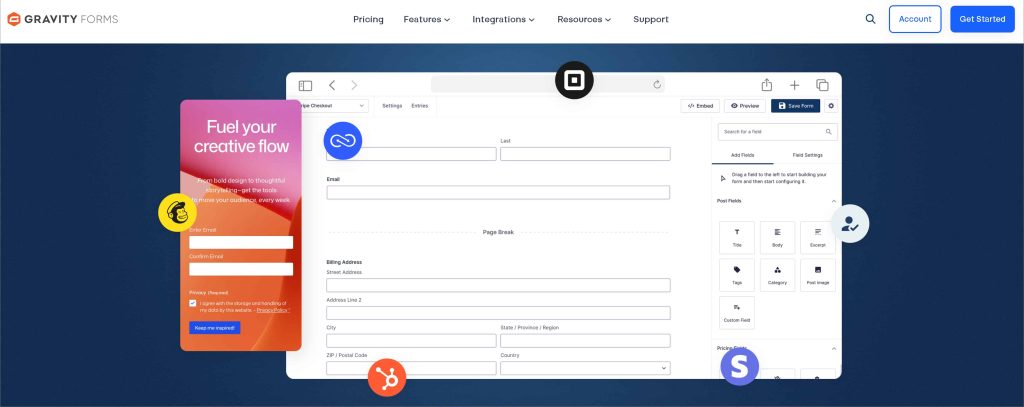
If your forms need to do more than collect a name and email — think multi-step registrations, complex order flows, or deep CRM integrations — Gravity Forms is where most developers eventually land. It’s been the professional standard for WordPress form building for over 15 years, and its reputation hasn’t slipped. When I installed it, there was no hand-holding, no template pusher — it assumes you know what you’re building and gets straight to it. As the best plugin for contact form in WordPress for serious, complex projects, it’s earned that position through consistent reliability, not marketing.
? Key Features
- Advanced conditional logic — control fields, pages, and submission behavior based on user input
- Massive add-on library — hundreds of official and third-party integrations for CRMs, payments, and more
- Developer-grade hooks and filters — deep customization at the code level
- WCAG 2.1 AA accessibility compliance — built into the core, not patched on
- Multi-step forms with save and continue — users can leave and return without losing progress
- REST API — connect to external applications and custom workflows cleanly
⭐ What I Liked
- Rock-solid reliability — 15 years of real-world use means edge cases are long handled
- Conditional logic engine is the most granular on this list — you can control almost anything
- Third-party add-on ecosystem is unmatched — if you need a specific integration, it almost certainly exists
- WCAG compliance out of the box — a genuine advantage for nonprofits and public sector sites
⚠️ What I Didn’t Like
- No free version — zero way to test it before committing your budget
- Styling is outdated — matching your site’s design often requires writing custom CSS
? Use Cases
Developers and agencies building custom WordPress solutions — complex registration systems, multi-step order forms, event management, and enterprise-level workflows that need to stay reliable under real traffic.
? Pricing: No free version. Plans start at $59/year for a single site.
4. Formidable Forms — Best for Building Data-Driven Applications Beyond Basic Forms
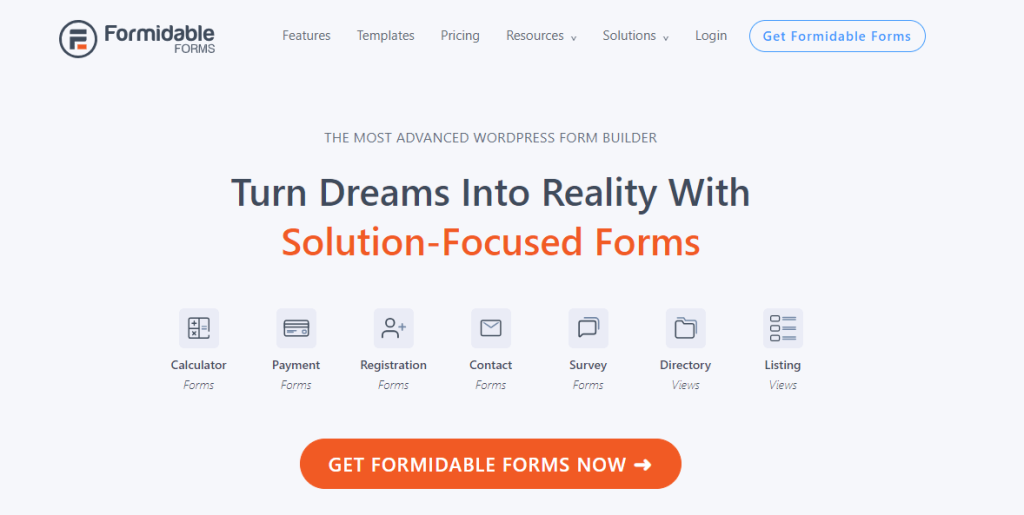
Most contact form plugins stop at collecting data. Formidable Forms asks what happens next. It’s less of a form builder and more of a lightweight application builder that starts with a form — and that distinction is what makes it genuinely different from everything else on this list. When I first installed it, the interface felt denser than WPForms or Fluent Forms, but once you see what it’s capable of, that depth starts to make sense. For anyone looking for the best wp contact form plugin that goes beyond simple data collection, Formidable Forms is in a category of its own.
? Key Features
- Formidable Views — turn submitted form data into front-end directories, listings, and portals
- Advanced calculation fields — build pricing estimators, quote forms, and scoring systems
- Repeater fields — let users submit multiple rows of data in a single form
- Dynamic field population — pre-fill fields from URL parameters, user data, or past submissions
- WooCommerce integration — build product configurators and dynamic order forms
- Front-end user submissions — let logged-in users submit and edit their own entries
⭐ What I Liked
- Views feature is genuinely unique — building a searchable member directory from form submissions without custom code is impressive
- Calculation fields handle complex math reliably — great for quote and pricing forms
- Free version covers basic needs honestly — it’s not stripped-down bait
- Strong fit for agencies that repeatedly build data-driven client sites
⚠️ What I Didn’t Like
- Steeper learning curve than most plugins on this list — Views and advanced logic take real time to understand
- Interface feels overwhelming for beginners — too much on screen before you’ve built anything
? Use Cases
Developers and agencies building data-driven WordPress sites — member directories, job boards, real estate listings, client portals, and event submission systems. Also ideal for businesses that need complex quote forms with live calculations built directly into the form.
? Pricing: Free version available. Paid plans start at $39.50/year.
5. Ninja Forms — Best Modular Plugin: Pay Only for What You Actually Need
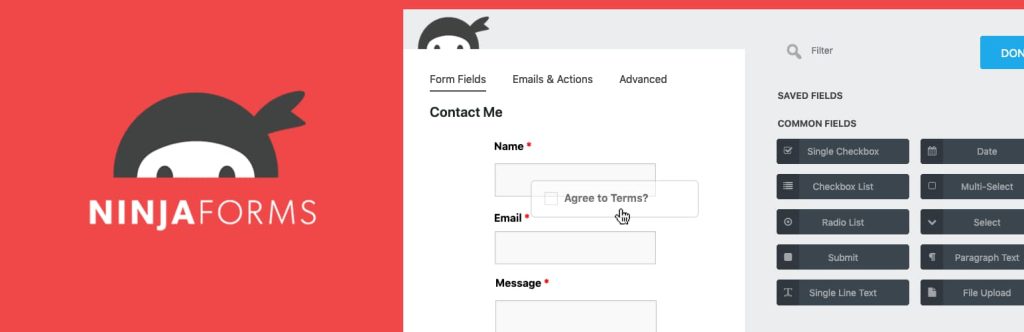
Most form plugins force you into a bundled plan packed with features you’ll never use. Ninja Forms flips that model entirely. It’s one of the oldest WordPress contact form plugins around, launched in 2011 with over 50 million downloads to its name — and used quietly by organizations like Disney, The New York Times, and Harvard. When I installed it, the interface felt clean and comfortable, more modern than you’d expect from a plugin that’s been around this long. As a wordpress contact form plugin built around flexibility, Ninja Forms lets you start free and extend only when — and exactly where — you need to.
? Key Features
- Modular add-on system — buy individual features instead of expensive bundled plans
- Unlimited forms and submissions on the free version — no artificial usage caps
- 25+ field types free — including basic calculations, without upgrading
- Conditional logic — show or hide fields based on user responses
- GDPR compliance tools — data retention controls and consent checkboxes built in
- Integrations via add-ons — Mailchimp, Zoho CRM, ActiveCampaign, Constant Contact, and more
⭐ What I Liked
- Free core is genuinely capable — unlimited forms and submissions is rare at zero cost
- Modular pricing is smart for users with specific, narrow requirements
- Interface feels polished and well integrated into WordPress
- Long track record — reliability has been proven across millions of real-world installs
⚠️ What I Didn’t Like
- Add-on costs stack up fast — buying five or six individually often exceeds the price of an all-in-one competitor plan
- The interface doesn’t always clearly signal which features are free vs. paid — leading to frustrating dead ends mid-build
? Use Cases
Freelancers, small agencies, and WordPress users who have specific feature needs and don’t want to overpay for a full-featured plan. Also a solid pick for developers who want a familiar, extensible base they can build on incrementally over time.
? Pricing: Free version available. Paid plans start at $99/year.
6. Fluent Forms — Best Lightweight Option for Performance-Obsessed Sites
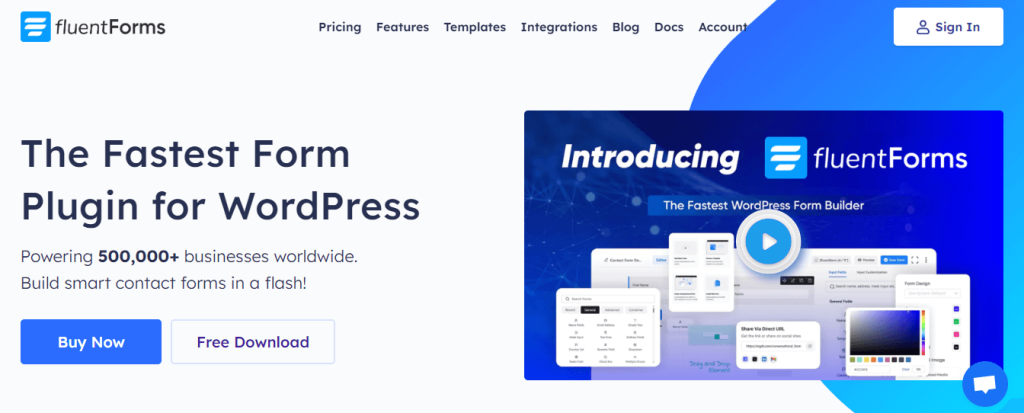
Most form plugins add weight to your pages without you realizing it — until your Core Web Vitals score takes a hit. Fluent Forms was built from the ground up to avoid that problem entirely. Developed by WP Manage Ninja and launched as a later entrant to the best contact form plugin for WordPress market, it had the advantage of watching every competitor go first — and building something faster, leaner, and more affordable as a result. When I installed it, the speed difference was noticeable. Forms loaded clean, pages didn’t drag, and the builder itself felt modern and intuitive without the bloat you get from older plugins.
? Key Features
- Lightweight architecture — consistently ranks among the fastest form plugins in benchmark tests
- 65+ field types on the free version — more than most plugins offer on paid plans
- Free conditional logic and entry storage — features competitors charge $59–$199/year for
- AI form builder — generate forms from a text prompt, free of charge
- Built-in migration tool — imports forms from WPForms, Gravity Forms, Contact Form 7, and Ninja Forms in minutes
- Lifetime licensing option — one-time payment, no annual renewal anxiety
- 60+ integrations — Mailchimp, ActiveCampaign, Zapier, PayPal, Stripe, and more
⭐ What I Liked
- Free version is the most capable on this entire list — conditional logic, conversational forms, and spam protection all included at no cost
- All paid features unlocked at every tier — no feature gating between plans, only site count changes
- Lifetime deal $279 one-time for a single site is compelling
- Migration tool works remarkably well — switching from another plugin takes minutes, not hours
⚠️ What I Didn’t Like
- Smaller support community compared to WPForms or Gravity Forms — fewer third-party tutorials and forums to lean on
? Use Cases
Performance-focused site owners, budget-conscious small businesses, and anyone switching from an overpriced competitor. Also a strong pick for nonprofits and startups who want an all-inclusive feature set without committing to annual renewals.
? Pricing: Free version available. Paid plans start at $79/year. Lifetime license from $279.
7. HubSpot Forms — Best for Marketing Teams Already Running on HubSpot CRM
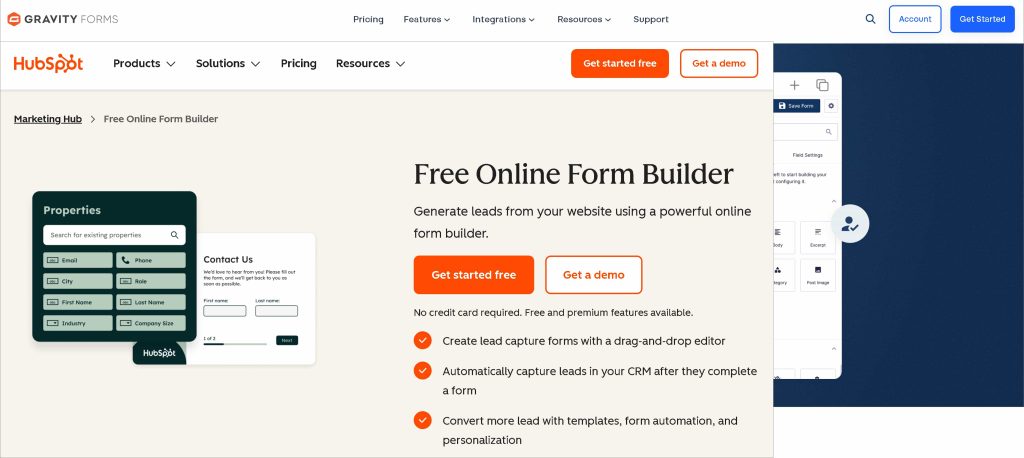
Most contact form plugins collect submissions and stop there. HubSpot Forms takes every submission and turns it into a living CRM contact — automatically, instantly, without a third-party connector. It’s not a standalone WordPress plugin in the traditional sense. It’s the form layer of HubSpot’s full marketing platform, brought into WordPress through a free plugin. When I set it up, the installation was straightforward — connect your HubSpot account, embed your form, done. For anyone already inside the HubSpot ecosystem, this is the most natural wordpress contact form plugin you’ll find. For everyone else, the value depends entirely on how deep you’re willing to go with HubSpot itself.
? Key Features
- Native CRM sync — every submission automatically creates or updates a contact in HubSpot CRM
- Smart forms — shows different questions to returning visitors based on data HubSpot already has
- Unlimited forms and submissions on the free plan — no caps, no tricks
- Built-in email automation — trigger follow-up sequences directly from form submissions
- Lead scoring — score and segment contacts automatically based on form responses
- Built-in analytics — track form performance without connecting to an external tool
⭐ What I Liked
- Automatic CRM contact creation is genuinely unique — no other plugin on this list does this natively
- Free plan is unlimited — forms, submissions, and CRM contacts all included at zero cost
- Smart forms progressive profiling is a standout feature — returning visitors always give you new data
- Everything lives in one platform — forms, email, analytics, and CRM without switching tools
⚠️ What I Didn’t Like
- Value collapses completely if you don’t use HubSpot CRM — it’s just a basic form builder without the ecosystem
- Paid HubSpot tiers are expensive — Marketing Hub Professional starts at $890/month, which is a steep jump from free
? Use Cases
Marketing teams and growing businesses already using HubSpot CRM who want form submissions to feed directly into their sales and marketing pipeline. Also ideal for lead-generation focused sites where progressive profiling and automated follow-up sequences matter more than form design.
? Pricing: Free plan available with unlimited forms and submissions. Paid HubSpot plans start at $15/month. Advanced marketing features from $890/month.
8. Forminator — WordPress Form Plugin with Generous Free Plan

Most free form plugins give you just enough to make you want to upgrade. Forminator does the opposite. Built by WPMU DEV — one of the most established WordPress development companies around — it hands you Stripe payments, PayPal, calculations, polls, quizzes, and interactive forms all on the free plan, no credit card required. Although Forminator is a best wp contact form plugin for users on a zero budget, FormGent on this list comes with a better offer what Forminator gives away for free.
? Key Features
- Free Stripe and PayPal payments — accept one-time payments without upgrading
- Interactive polls and quizzes — build Buzzfeed-style quizzes and live polls alongside standard forms
- Advanced calculators — create service estimators and WooCommerce price calculators
- Conditional logic — show or hide fields based on user responses, free of charge
- 1,000+ app integrations — connects to email services, CRMs, and project management tools
- GDPR compliance tools — consent checkboxes and data handling controls built in
⭐ What I Liked
- Free plan is the most feature-packed on this entire list — payments, calculations, and polls at zero cost
- Quiz and poll builder is a genuine bonus — no other form plugin on this list includes this natively for free
- WPMU DEV backing means reliable maintenance and regular updates
- Clean, approachable interface — beginners won’t feel lost opening it for the first time
⚠️ What I Didn’t Like
- Premium version requires a WPMU DEV membership rather than a standalone purchase — a different model that doesn’t suit everyone
- Fewer native integrations compared to WPForms or Gravity Forms at the premium level — Zapier covers most gaps but adds a dependency
? Use Cases
Budget-conscious bloggers, small business owners, and startups who want a capable, well-rounded form plugin without spending anything. Also a great fit for anyone who wants polls, quizzes, and payment forms all managed from a single plugin rather than installing three separate tools.
? Pricing: Free version available with generous features. Premium access via WPMU DEV membership starting at $90/year.
9. Typeform — Best for Conversational Forms That Feel Like a Real Conversation
Most forms feel like paperwork. Typeform feels like a conversation. Instead of presenting every field at once, it shows one question at a time — clean, focused, and surprisingly engaging. It’s a SaaS-based platform rather than a native WordPress plugin, but it embeds into any WordPress site cleanly through a block or shortcode. When I tested it, completion rates on longer forms felt noticeably higher than traditional layouts — and that’s not just a feeling. Typeform consistently reports 20–30% better completion rates compared to standard multi-field forms. As a wordpress contact form plugin alternative for brands where experience matters as much as data, Typeform is in a league of its own visually.
? Key Features
- One-question-at-a-time format — reduces form fatigue and keeps respondents focused
- Logic jumps — skip or branch questions dynamically based on previous answers
- Beautiful design controls — custom fonts, full-bleed backgrounds, embedded images and videos
- 300+ integrations — connects to HubSpot, Salesforce, Mailchimp, Zapier, Google Sheets, and more
- CRM-agnostic — works with any CRM or marketing stack, not locked into one ecosystem
- Embeds into WordPress — via block, popup, slider, or full-page takeover
⭐ What I Liked
- Form experience is genuinely the most polished on this entire list — it feels premium without any extra effort
- CRM-agnostic approach is a real advantage — switching your marketing stack won’t break your forms
- Logic jumps work smoothly — branching conversations feel natural, not mechanical
- Embed options are flexible — popup, inline, slider, and full-page all supported natively
⚠️ What I Didn’t Like
- Not a native WordPress plugin — your form data lives on Typeform’s servers, not your own WordPress database
- Free plan caps at just 10 responses per month — barely enough to test it properly, let alone run a real form
- Gets expensive fast — meaningful usage requires a paid plan starting at $25/month
If you’re looking for a native WordPress plugin that offers conversation form with unlimited response, FormGent is the great Typeform Alternative and surprisingly it’s free.
Follow this tutorial to know “How to create a conversational form for Free“
? Use Cases
Brand-conscious businesses, agencies, and marketers who want forms that reflect the quality of their product. Ideal for customer surveys, lead qualification forms, onboarding flows, and research questionnaires where a polished experience directly impacts response quality and completion rates.
? Pricing: Free plan available (10 responses/month). Paid plans start at $25/month.
10. JotForm — Best for Complex Workflows, Approvals, and Team Collaboration
If your forms need to do more than land in an inbox — think multi-stage approval flows, team sign-offs, automated PDF contracts, or internal request systems — JotForm is built for exactly that. It’s a SaaS-based platform with over 20 million users worldwide, and it shows in the depth of what it offers. When I tested it, what immediately stood out wasn’t the form builder itself — it’s everything that happens after submission. As a best contact form plugin for wordpress alternative for teams that treat forms as a business workflow tool rather than just a contact page, JotForm goes further than anything else on this list in that specific direction.
? Key Features
- Approval flows — route submissions through multi-stage team sign-offs automatically
- 10,000+ templates — the largest template library of any tool on this list
- Built-in PDF generation — auto-create branded PDF documents from every submission
- Payment integrations — Stripe, PayPal, Square, and more supported natively
- Store builder — create a lightweight online store directly from a form
- Visual report builder — turn submission data into charts and graphs without exporting
⭐ What I Liked
- Approval workflow system is unique on this list — no other tool handles multi-stage team sign-offs this cleanly
- 10,000+ templates is genuinely staggering — finding a starting point takes seconds regardless of use case
- PDF generation is polished and automatic — contracts, receipts, and confirmations handled without extra plugins
- Free plan is more usable than Typeform — 100 submissions per month gives you room to actually test it
⚠️ What I Didn’t Like
- SaaS-based like Typeform — form data lives on JotForm’s servers, not your WordPress database
- Free plan limits hit quickly for active sites — 100 monthly submissions runs out faster than you’d expect for a growing business
- Can feel overwhelming for simple use cases — the sheer number of features adds complexity when all you need is a basic contact form
? Use Cases
Teams, operations managers, and businesses that use forms as internal workflow tools — purchase requests, leave approvals, client onboarding, contract sign-offs, and multi-department sign-off processes. Also a strong pick for businesses that need polished, branded PDF documents generated automatically from every form submission.
? Pricing: Free plan available (100 submissions/month). Paid plans start at $34/month.
11. Contact Form 7 — Best Free Option for Developers Who Like Full Code Control

Before drag-and-drop builders existed, before AI form generation was even a concept, there was Contact Form 7. It’s the oldest form plugin in the WordPress ecosystem, with over 10 million active installs making it one of the most downloaded plugins in WordPress history — full stop. When I installed it, the experience was exactly what you’d expect from a plugin that hasn’t chased trends: no visual builder, no template library, no onboarding wizard. Just a clean text editor, a shortcode system, and complete control over every element if you know what you’re doing. As a best contact form plugin for wordpress for developers and minimalists who want lightweight simplicity over guided convenience, Contact Form 7 has earned its place on this list through sheer longevity and trust.
? Key Features
- Completely free — no premium tier, no upsells, no feature gating ever
- Shortcode-based form building — full control over form structure using simple tag syntax
- CAPTCHA and Akismet spam filtering — basic but functional spam protection out of the box
- Flexible mail settings — customize notification emails with form tags and HTML
- Extensible via free add-ons — hundreds of community-built extensions in the WordPress repository
- Lightweight — minimal CSS and JavaScript, virtually zero impact on page load speed
⭐ What I Liked
- Completely free — no pricing tiers, no upgrade pressure, no expiring trials
- Lightest plugin on this entire list — installs clean and adds almost nothing to page load time
- Infinitely extensible — the community add-on library covers almost any gap you can think of
- Battle-tested reliability — 10+ million sites can’t all be wrong about something
⚠️ What I Didn’t Like
- No visual builder — building forms requires learning shortcode syntax, which is a real barrier for non-technical users
- Email delivery issues are frustratingly common — many users report submissions never reaching their inbox without an SMTP plugin
- No entry storage by default — submitted form data isn’t saved anywhere unless you install a separate add-on
? Use Cases
Developers, agencies, and technically comfortable WordPress users who want a free, lightweight, zero-bloat form solution they can shape exactly to their needs. Also a reasonable pick for simple single-page sites that only need a basic contact form and nothing more.
? Pricing: Completely free. No paid version exists.
Why You Should Use A Contact Form?
In any business, you should have a sound connection with your clients, visitors, or prospects. If you don’t want to interact with your customers, how can you expect a good result from them?
Here you’ll find more reasons why having a contact form is a must for a website.
i. Grow your mailing list even when you’re sleeping
Websites are a smart way to reach out to users. Users fill out the contact form when they want to know about something, by permitting them to add their email to your mailing list.
So, you don’t need to set up anything manually or write an email. Your mailing list will keep growing even if you’re loaded with tons of work or sleeping at midnight.
ii. Make user experience super easy
Contact form is a friendly way of communication because users can interact with you at any time. They are not required to create and confirm the account to reach you. Users are in a hurry, they don’t have much time to do these steps. So, having a simple contact form makes communication super easy.
iii. Collect the information you need
The contact form helps you in two ways. Firstly, the service provider picks up specific information from the clients. Secondly, users put accurate details to get the best services. In a greater sense, using a contact form makes the data collection easy and users want to give you information willingly.
But it matters how you set up the proper environment for the users. You can reshape your marketing and product development strategy based on their queries, feedback, and support-related questions.
iv. Get insights into your visitors
Creating and adding the contact form into WordPress is not the only thing you do. You need to measure up to see if things are functioning or not. There are many ways to do that. However, the most effective one is when you run a marketing campaign.
The form submission insight will help you to refine the strategy. The contact form analytics will allow you to see the number of submissions and their detailed information.
v. Keep spam at bay
No one likes spam. When your form is live, it invites the bots to spam your inbox. But here is the catch with some spam protection, you can filter out annoying responses and focus on the one you want to get.
The best form builders use reCAPTCHA as your shield to reduce spam. It keeps the website protected and connects you with the website visitors.
Where You Should Place a Contact Form in Your WordPress
Here are 6 places where you can put your contact form anywhere.
1. On your website footer
Web users know where to look for contact information. The website footer is the place where people scroll down and get in touch with you. This is something that people already know and why not place a WordPress contact form here?
This is where they expect to find social media links, links to important pages, maps, disclaimers, and of course contact information.
2. The About page
When a visitor clicks on your About page, the chances are higher that they are interested in contacting you. It doesn’t mean that they land on your web page and click on the About page. But it means they already have an idea of your products, services, course, or program and want to learn more about the person behind it.
The About page should remain catchy. You can add what your business does, the faces behind the magical project, who works at your company, your achievements and milestones, and finally a strong call to action.
3. After blog posts
If you write blog posts, people might have questions or thoughts about what you shared—or even about your business. So, why not make it super easy for them to reach out while they’re still reading?
A smart way to do this is by adding a contact form at the bottom of every blog post, right after your bio or a few paragraphs in. That way, it’s always there, no matter which post they’re reading.
4. In the sidebar
Adding a contact form to your website’s sidebar makes it easy to find. No matter where someone is on your site, they can see it and reach out anytime.
Since sidebar forms are usually small and simple, people won’t feel like it’s a hassle to fill them out. Just a few quick details, and they’re done!
So, the result is the contact form stays visible on almost every page. visitors don’t have to search for a way to contact you and it’s always right there!
5. On your support page
If someone is on your support page, they’re probably looking for help with your product or service. If they can’t find the answer they need, they’ll want a quick way to reach you.
That’s why adding a contact form right on your support page is a smart move. If the page doesn’t have the answer, they can easily ask you instead. No frustration, no searching. Just help, right when they need it!
Which WordPress Contact Form Plugin Is Right for You?
After testing all 11 plugins, here’s the honest truth — the best contact form plugin for WordPress isn’t the same for everyone. The right pick depends entirely on who you are, what your site does, and what you actually need the form to accomplish.
Use this guide to find your match in under a minute.
? You’re a Complete Beginner
Go with → FormGent or WPForms
You need something that gets a form live fast without a single line of code. Both have drag-and-drop builders, pre-built templates, and setups that take under 10 minutes. FormGent edges ahead if you want AI-powered form creation and more premium features for free out of the box. WPForms wins if you want the largest template library though it need some costs and the most beginner-friendly guided experience.
? You’re a Small Business Owner
Go with → FormGent or WPForms
You need reliable lead capture, spam protection, and basic integrations with your email marketing tool — without paying developer rates to set it up. Both plugins cover this without breaking a sweat. FormGent is the better value if budget matters. WPForms is the safer long-term bet if you anticipate needing advanced features as your business grows.
?? You’re a Developer or Agency
Go with → Gravity Forms or Formidable Forms
You need extensibility, deep customization, and a plugin that won’t buckle under complex requirements. Gravity Forms is the gold standard for developer-grade hooks, filters, and a massive third-party add-on ecosystem. Formidable Forms is the better call if you’re building data-driven applications — directories, member portals, or front-end submission systems — where displaying data matters as much as collecting it.
⚡ You’re Obsessed With Site Performance
Go with → Fluent Forms
If Core Web Vitals scores matter to your SEO strategy — and they should — Fluent Forms is the only plugin on this list built from the ground up with performance as a non-negotiable. It’s consistently the lightest option in benchmark tests, and its free version includes conditional logic and entry storage that competitors charge for.
? You’re on a Zero or Tight Budget
Go with → FormGent, Forminator or Contact Form 7
FormGent or Forminator gives you the most feature-packed free plan on this entire list — payments, calculations, quizzes, and polls at zero cost. FormGent will give you pdf generation feature as extra. Contact Form 7 is the right pick if you’re technically comfortable, want zero bloat, and have no intention of ever paying for a form plugin.
? You’re a Marketing or CRM-Driven Team
Go with → HubSpot Forms
If your team runs on HubSpot CRM, this is a no-brainer. Every form submission automatically creates or updates a CRM contact, triggers email sequences, and feeds your lead scoring — all without a third-party connector. If you’re not using HubSpot, skip it and look elsewhere.
? You Want Beautiful, Branded Forms That Stand Out
Go with → Typeform
If your brand is design-forward and form completion rate directly impacts your revenue, Typeform’s conversational one-question-at-a-time experience is unmatched on this list. Just go in knowing it’s a SaaS tool — your data lives on their servers, and meaningful usage requires a paid plan.
? You Need Team Workflows and Approval Processes
Go with → JotForm
If your forms are internal business tools — purchase approvals, client onboarding, multi-stage sign-offs, or automated PDF contracts — JotForm handles this better than any native WordPress plugin on this list. Again, SaaS-based, so factor in the data ownership consideration.
? You Want AI-Powered Form Creation
Go with → FormGent
Type a prompt, get a complete form in seconds. No other native WordPress plugin on this list matches FormGent’s AI form builder at this price point — especially on the free plan. If speed of creation and smart automation matter to you, FormGent is the obvious starting point.
Need a Solution that covers almost overall?
If you take our recommendation, start with FormGent’s free version. It covers the needs of most WordPress users — AI form creation, conversational forms, conditional logic, payments, and analytics — without spending a cent. Once you grow and needs more advance feature then you can upgrade your plan.
Frequently Asked Questions
What is the best free contact form plugin for WordPress?
FormGent and Forminator offer the strongest free tiers. WPForms Lite is the most beginner-friendly free option. Contact Form 7 is best if you’re comfortable with code.
Is Contact Form 7 still worth using in 2026?
It depends. CF7 is still solid for developers who are comfortable with code and want a lightweight, free solution. But for beginners, the lack of a visual builder and frequent email delivery issues make modern alternatives like FormGent or WPForms a smarter choice.
Which contact form plugin is best for beginners?
WPForms and FormGent are the top beginner-friendly picks — both have drag-and-drop builders, pre-built templates, and intuitive setups that get a form live in under 10 minutes.
Do contact form plugins slow down my WordPress site?
Modern plugins like Fluent Forms and FormGent are optimized for speed. Look for plugins that use conditional loading — they only load scripts on pages where a form actually exists.
Which WordPress form plugin is best for payments?
Gravity Forms, Formidable Forms, and Ninja Forms all handle payments well. Fluent Forms stands out with a free Stripe tier — rare in this space.
Can I use more than one contact form plugin on WordPress?
Technically yes, but it’s not recommended. Multiple form plugins can conflict and slow your site. Pick one that covers all your needs.
Choosing The Best Contact Form Plugin for WordPress
WordPress users have plenty of options when it comes to finding the incredible contact form plugin. The options we’ve explored today are packed with features, whether you need a simple contact form, multi-step form, or impressive third-party integrations.
FormGent stands out from other contact form plugins because of its competitive pricing model. Even in the free version, it offers the premium features. The simplified AI form creation is that much easier for anyone to create any form you want.
Have you tried any of the plugins on this list or know any other plugin that sounds best to you? Drop your words in the comments below — we’d love to know which one you ended up going with and why.
Meanwhile, after choosing your WordPress contact form plugin don’t forget to check our guide on Create and Add Contact Form Builder in WordPress (Easy Guide)


Leave a Reply