
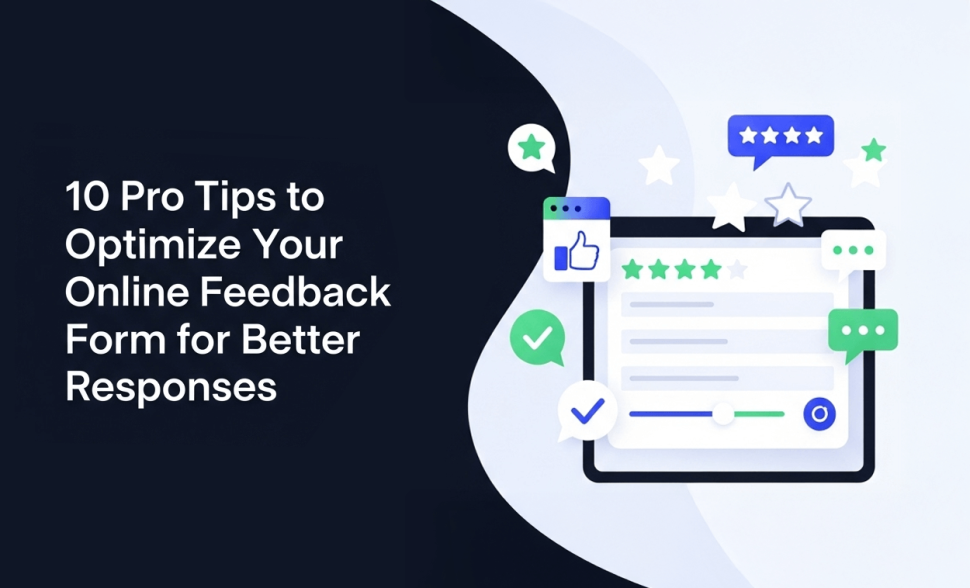
10 Pro Tips To Optimize Your Online Feedback Form For Better Responses
-
- Tips and Tricks
- 8 mins read
Your online feedback form isn’t getting responses as expected?
You’re not alone. It’s a common challenge. Feedback is the lifeblood of customer experience, product development, and overall business growth. Yet, many businesses miss out on valuable insights because their forms are too long, poorly designed, or just plain boring.
The result? Low engagement and meaningless data that can’t help your business grow.
The truth is, small mistakes in design can make the difference between a completed form and an abandoned one. That’s why we’ve put together 10 expert-backed tips to transform your online feedback form into a conversion machine that delivers meaningful insights.
Understanding The Purpose Of Your Online Feedback Form
Every online feedback form needs a clear purpose. Without it, you risk collecting random data that doesn’t help your business. Before you create the form, define exactly what you want to achieve. Is it customer satisfaction, product feedback, employee insights, or event follow-up? Each goal requires a different type of question and structure.
When the purpose is clear, the design becomes easier. The questions you ask should align with your business objectives. For example, a SaaS company might focus on usability feedback—asking how easy the product is to use or what features are missing. On the other hand, an eCommerce store may prioritize delivery and customer service experience, gathering insights about shipping speed, packaging, and support quality.
According to SuperOffice1, Currently, 81% of organizations consider customer experience a vital competitive edge, an increase from just 36% in 2010. That means the right feedback form is not just a survey—it’s a growth tool. By aligning the form’s purpose with your strategy, you ensure the data you collect drives action, not confusion.
10 Pro Tips To Optimize Your Online Feedback Form For Better Responses
Getting valuable responses from your online feedback form isn’t just about asking questions—it’s about asking them in the right way. The structure, tone, design, and even the length of your form directly impact how many people complete it and how helpful their answers are. Below are 10 proven best practices to help you optimize your forms and capture more meaningful feedback.
1. Keep It Short and Focused
Long forms kill response rates. A survey by SurveyMonkey2 shows that completion rates drop sharply after 10 questions. The sweet spot is 5–10 well-crafted questions. Focus only on your required data. Don’t ask for information you’ll never use.
2. Use Clear and Simple Language
Confusing wording creates hesitation. Ask questions in a way that you’re talking directly to the customer. Avoid jargon and technical terms. For example, try to avoid asking like “What is your perceived satisfaction with our UI/UX interface?”, ask “How fun is our website to use?”
3. Choose the Right Question Types
You don’t want to bore your user and leave an unfinished form. Right? Then, mixing question types is a great idea to keep people engaged and gives you better data. Here are some pro tweaks:
• Multiple choice works best for quick decisions.
• Rating scales (1–5 or 1–10) give measurable benchmarks.
• Open-ended questions capture deeper insights.
Use each type with intention. You can hook with a rating scale, then carry on with an open-ended question: “What’s the main reason for your score?”.
4. Optimize for Mobile Users
Survey Monkey reports 3shows that 58.2% of survey responses are now submitted via mobile devices. When your online feedback form is unresponsive, you lose valuable feedback. Test every form on multiple screen sizes to ensure smooth scrolling, easy taps, and clear text visibility.
5. Leverage Conditional Logic
Nobody wants to answer irrelevant questions. Use conditional logic to show or hide fields according to responses. Example: If a visitor says they didn’t buy anything, skip the product-specific questions and move them to another feedback. This makes the form shorter and more relevant.
Learn more: Mastering Conditional Logic in Forms: A Guide to Personalized User Experiences
6. Add a Conversational Touch
Forms don’t need to feel robotic. A conversational tone improves engagement. For instance, instead of a rigid question like “Rate your satisfaction,” you could ask in a more friendly way like “How satisfied are you with your last order?”. Tools like FormGent offer conversational forms in WordPress, helping users feel like they are engaging in a chat instead of taking a survey.
Learn More: How To Create Conversational Forms On Your WordPress Website
7. Offer Incentives for Completion
People are more likely to respond if there’s a reward. According to QuestionPro4, even small incentives can enhance response rates by 15–20%. Discounts, freebies, or giveaways work well—but use them wisely. Don’t bias responses by making people feel they must say something positive.
8. Ensure Strong Branding & Customization
A plain, generic form feels untrustworthy. Align with your brand’s colors, fonts, and tone to build credibility. Consistency improves recognition and makes users feel safer sharing feedback. Plus, customized forms stand out from cookie-cutter templates.
9. Use Progress Indicators
Ever abandoned a form because you didn’t know how long it would take? That’s why progress bars work. A simple “Step 2 of 4” or a visual progress tracker reduces drop-offs and keeps people motivated to finish.
10. Track & Analyze Responses with Built-in Analytics
Collecting feedback is only half the job—analyzing it is where the real value lies. Track completion rates, drop-offs, and response trends. This information shows what is effective and what isn’t. With FormGent’s integrated analytics, you can view insights right in WordPress without needing to manage external tools.
Congratulations! You now know the 10 pro tips that can make your online feedback form more effective and engaging. By applying these strategies, you’ll not only increase response rates but also gather insights that truly help improve customer experience and business growth.
But here’s the catch—even the best-designed forms can fail if you fall into common mistakes that many businesses overlook. In the next section, we’ll break down these mistakes so you can avoid them and ensure every feedback form works to your advantage.
Common Mistakes To Avoid With Online Feedback Forms
These are frequent mistakes many businesses or individuals make when creating an online feedback form. If you want to collect meaningful insights, you must be careful to avoid them. And last but not least, some of these errors might look small—but they can completely derail the response quality.
1. Making Forms Too Long
People don’t like spending too much time filling out forms. If your online feedback form feels lengthy or overloaded with questions, most users will simply abandon it. Instead, keep it short, straightforward, and easy to complete.
2. Asking Irrelevant or Leading Questions
When questions don’t directly relate to the customer’s experience, it makes the form frustrating. Poorly framed questions can lead to inaccurate feedback. Always keep your questions clear, direct, and unbiased so responses truly reflect what your users think.
3. Not Testing the Form Before Publishing
Skipping a test run can lead to broken links, unclear questions, or poor mobile usability. Always preview and test your form on multiple devices before sharing it publicly.
4. Ignoring Mobile Optimization
More than half of online forms are opened on mobile devices today. If your form isn’t responsive and user-friendly on smaller screens, you’ll risk high drop-offs and low response rates.
These are some of the most common mistakes many form creators unintentionally make. Staying aware of them is the first step to building a better feedback experience. And last but not least, let’s explore a few more critical errors you should carefully avoid.
5. Not Offering an Option for Anonymous Feedback
Users may hold back honest opinions if they feel their identity is tied to responses. Allowing anonymity often encourages more candid and useful feedback.
6. Overusing Open-Ended Questions
While they provide depth, too many open-text fields can discourage completion. Balance them with multiple-choice or rating scale questions to maintain engagement.
7. Forgetting to Close the Feedback Loop
Collecting feedback but never acknowledging it is a missed opportunity. Customers want to know their opinions matter. A simple follow-up email or public update builds trust and loyalty.
8. Neglecting Accessibility
If your form isn’t accessible to people with disabilities (e.g., screen reader compatibility, proper contrast), you exclude a portion of your audience. Accessibility isn’t optional—it’s essential.
9. Failing to Track Metrics After Launch
Just publishing a form isn’t enough. Without monitoring completion rates, drop-off points, or time spent per question, you won’t know where improvements are needed.
By steering clear of these common mistakes, you protect your efforts from being wasted and ensure that the feedback you receive is reliable, actionable, and truly valuable.
Turn Feedback Into Action
Congratulations! You have successfully learned the 10 professional recommendations for optimizing your online feedback form and the frequent errors to avoid. By applying these strategies, you can transform a simple form into a powerful tool that helps you truly understand your customers.
Remember, better-designed forms don’t just collect responses—they fuel smarter decisions, improve customer satisfaction, and ultimately drive business growth.
So, why wait? Start optimizing your online feedback form today with a tool like FormGent. It’s built to save you time, boost completion rates, and give you the insights you need to act confidently.
We’d love to hear from you—share this post with your network, drop a comment with your own experiences, or take the leap and create your first optimized form. Your customers are already waiting to give you valuable feedback—it’s time to make it easy for them.
Frequent Asked Questions About Online Feedback Form
1. What is an online feedback form?
An online feedback form is a digital tool businesses use to collect customer opinions, suggestions, or concerns. It helps businesses or individuals understand customer satisfaction, identify pain points, and make informed improvements. When used effectively, online feedback forms can strengthen customer relationships and guide product or service development.
2. How can I increase responses to my online feedback form?
To boost response rates, keep your form short (5–10 questions), use clear language, and ensure it works smoothly on mobile. Adding incentives like discounts or freebies, showing a progress bar, and using conversational forms also make the experience more engaging.
3. What questions should I ask in an online feedback form?
Ask focused questions that align with your goal. You can use rating questions to assess service quality, multiple-choice questions for preferences, and one or two open-ended questions for in-depth insights. Avoid questions that are irrelevant or leading to guarantee precise results.
4. How long should an online feedback form be?
An effective online feedback form should ideally take less than five minutes to complete. Too many questions discourage participation. Stick to essential queries only, balancing both quantitative (ratings, choices) and qualitative (open text) inputs.
5. Are online feedback forms mobile-friendly?
They should be. Since most users browse and interact via smartphones, optimizing feedback forms for mobile is crucial. A responsive design ensures forms load quickly, are easy to navigate, and encourage more people to complete them.
6. What are common mistakes to avoid with online feedback forms?
Some frequent mistakes include making forms too long, asking irrelevant questions, using confusing language, and failing to test before publishing. Not analyzing collected data is another big error that wastes valuable feedback.
7. How do I analyze results from an online feedback form?
Look at response rates, drop-offs, and common themes in answers. Tools like built-in analytics (e.g., in FormGent) make it easier to measure trends, identify patterns, and take actionable steps based on data.
8. Which tool is best for creating online feedback forms?
Several tools exist, but choosing one that offers customization, conditional logic, mobile optimization, and analytics is key. FormGent is a powerful option for WordPress users, combining ease of use with AI features to save time and improve results.
Resource Data:

Rezaul Karim
Rezaul Karim is a passionate Digital Marketer driven by curiosity and creativity in the ever-evolving world of online marketing. With over 6 years of hands-on experience in Content Writing, Copywriting, SEO, and Social Media Marketing, he brings a strategic edge to crafting content that engages and converts. Always eager to explore new trends and tools, Rezaul thrives on finding smarter ways to connect brands with their audiences. Outside of work, he enjoys diving into books or recharging in nature.
How to Create Feedback Forms in WordPress (Free)
September 26, 2026[…] For the full breakdown of what actually moves response rates — including the mistakes that quietly kill completion — see 10 Pro Tips to Optimize Your Online Feedback Form. […]