

How to Avoid Spam Submissions with an Online Form Builder
-
- Tips and Tricks
- 11 mins read
Did you know that nearly 28% of web form submissions are spam, causing businesses to lose time and miss genuine opportunities? If you use forms to collect leads or data, spam submissions can quickly become a big problem.
Because, spam submissions flood your inbox with fake entries, making it harder to spot real inquiries. But what if you could block these without making things harder for your users? That’s where an online form builder comes in.
In this article, we’ll cover online form builders, what spam submissions are, and how to stop them. You’ll learn simple techniques, from CAPTCHA to other methods, to build spam-free forms that keep your process smooth and efficient.
What Are Spam Submissions in The Context of Online Forms?
Spam submissions in online forms refer to unwanted or irrelevant entries submitted by automated bots, scripts, or even malicious individuals. These submissions typically aim to disrupt operations, collect user data, or promote fraudulent content.
Spam in forms affects various online platforms, including contact forms, sign-up pages, feedback forms, and order forms.
How spam submissions occur
- Bots and automation: Malicious bots are programmed to crawl websites and submit forms automatically. These bots can bypass basic captcha systems and exploit vulnerabilities in poorly secured forms.
- Human spammers: In some cases, humans manually submit spam to spread links or promotional content.
- Exploitative scripts: Sophisticated scripts exploit weak form security, injecting malicious code or overwhelming servers with a high volume of submissions.
Characteristics of spam submissions
- Irrelevant information: Entries filled with gibberish or promotional content.
- Links to malicious websites: Embedded links redirect users to phishing or malware-infested sites.
- Fake contact details: Bogus email addresses and phone numbers.
- Excessive volume: Flooding forms to crash or slow down the system.
A report by Imperva in 2022 revealed that 42.3% of all internet traffic was from bots, with 27.7% being bad bots responsible for activities like form spamming.
Why Spam Submissions Are a Problem
Spam submissions are a common phenomenon for online platforms, directory websites, and businesses that rely on user-generated content. These submissions are not only disruptive but also have broader implications for the integrity, usability, and profitability of a platform.
i. Compromising user experience
Spam submissions clutter legitimate listings, making it harder for users to find the information they need. For example, in a job directory website, fake job postings can mislead job seekers and cause frustration.
According to a report by Statista, spam accounted for 45.6% of all email traffic in 2023, reflecting how pervasive the problem is across digital platforms. This volume translates to other forms of spam, including directory and form submissions.
ii. Damaging platform credibility
When users encounter spam listings, trust in the platform diminishes. For example, a restaurant directory overrun with fake or irrelevant entries risks losing users to competitors with cleaner, curated content. Platforms like Yelp and TripAdvisor spend significant resources to identify and eliminate spam reviews to maintain user trust.
iii. Impact on SEO and rankings
Spam submissions can negatively affect a website’s search engine ranking. Search engines like Google penalize websites with low-quality or duplicate content.
For instance, spam listings in a classified ads website could lead to keyword stuffing or the presence of irrelevant content, causing a drop in visibility.
iv. Financial loss
Spam submissions often divert resources that could be used for platform improvement. For example, businesses must invest in spam prevention tools or allocate time for manual moderation.
A study by Kapost estimated that companies spend $4 billion annually combating spam across various platforms.
Moreover, payment gateway misuse through fraudulent listings can lead to direct monetary losses.
v. Security threats
Spam submissions may contain malicious links or attachments that pose security risks. For instance, phishing attacks hidden within form submissions can compromise user data.
According to Verizon’s 2024 Data Breach Investigations Report, 68% of breaches involved human elements, often stemming from spam or phishing.
Effective Strategies to Avoid Spam Submissions with an Online Form Builder
Online forms are essential for collecting valuable data from users, but they are also prime targets for spam submissions.
Spam can overwhelm your database, skew analytics, and even disrupt business operations. Implementing robust strategies to prevent spam ensures data integrity, saves resources, and improves user trust.
1. Enable CAPTCHA verification
CAPTCHA is a proven method to reduce spam submissions by distinguishing between human and automated users. According to a survey by DataDome, implementing CAPTCHA can reduce spam submissions by up to 95%, ensuring your form remains secure.
Advanced CAPTCHA tools like Google reCAPTCHA offer seamless integration and improved user experience. These tools deter bots while keeping the process easy for genuine users, preventing drop-offs caused by overly complex verifications.
2. Use double opt-in for email submissions
Double opt-in ensures that users confirm their email addresses before being added to your system. Studies by HubSpot indicate this method reduces spam signups by 50%, improving the quality of collected data.
With double opt-in, users receive a confirmation email to verify their identity. This extra step discourages fake or malicious entries, protecting your database from invalid or harmful information.
3. Limit submissions per IP address
Restricting the number of submissions from a single IP address is a powerful way to prevent spam. Research from Akamai shows that spam attacks often originate from repetitive IP requests.
Implementing rate limiting ensures that genuine users can submit forms without hindrance, while suspicious activity from bots is blocked. This strategy creates a balance between usability and security.
4. Validate email and phone numbers
Automatic validation tools verify the authenticity of email addresses and phone numbers in real-time. A 2023 study found that such tools eliminate up to 70% of spam entries.
By integrating validation, you can ensure only legitimate contact details are accepted. This not only reduces spam but also enhances the overall quality of your lead database.
5. Employ honeypot fields
Honeypot fields are invisible to human users but can trap bots attempting to fill all form fields. Experts report that this simple technique blocks up to 90% of automated spam.
Unlike CAPTCHAs, honeypots provide a frictionless experience for users, keeping forms user-friendly while secretly thwarting malicious submissions.
6. Use advanced spam filters
Leverage AI-powered spam filters to detect and block suspicious activity. According to Imperva, these filters analyze submission patterns to flag spam in real-time.
AI-based systems continuously learn from spam behavior, improving accuracy over time. This dynamic approach ensures your forms remain protected against evolving threats.
7. Require user authentication
Mandating users to create an account before submitting a form can deter spam. Authentication creates an additional layer of security, ensuring that only genuine users can access and complete your forms. This method also builds a verified user base.
8. Regularly monitor and update forms
Regular form audits help identify and fix vulnerabilities that may allow spam. So, start proactive by updating plugins, adding new security measures, and reviewing analytics. A well-maintained form is less likely to become a target for spammers.
9. Block disposable email addresses
Blocking submissions from disposable email services like Temp-Mail or 10-Minute Mail can filter out low-quality entries. This strategy eliminates spam attempts from untraceable sources.
Therefore, use email validation APIs to detect and block such addresses in real-time. This ensures you capture only authentic and useful data from legitimate users.
10. Leverage form submission analytics
Form analytics provide insights into suspicious behavior, such as unusually high submission rates. Tools like Google Analytics help detect patterns that may indicate spam activity.
How to Choose the Right Online Form Builder
Online form builders are essential tools for collecting data, managing workflows, and enhancing user interaction on websites.
Selecting the right form builder can significantly impact your ability to meet your goals efficiently. Here’s a comprehensive guide to help you make an informed decision.
i. Define your purpose and requirements
The first step in choosing an online form builder is understanding your specific needs. Are you creating simple contact forms, conducting surveys, or managing event registrations?
Knowing the purpose of your forms will help you narrow down your options. Additionally, list the features you require, such as conditional logic, integrations with other tools, or payment processing capabilities.
ii. Evaluate ease of use and customization options
A good form builder should be user-friendly and intuitive, especially if you’re not a developer. Drag-and-drop interfaces are ideal for beginners, while more advanced users may benefit from custom coding options.
Check if the form builder allows you to tailor designs to match your brand’s identity with custom fonts, colors, and layouts.
iii. Assess integration and compatibility
Your chosen form builder should integrate seamlessly with the tools you have already used, such as email marketing platforms, CRM systems, or payment gateways. Compatibility with website builders like WordPress, Squarespace, or Shopify is also crucial if you plan to embed forms directly into your site.
iv. Consider mobile responsiveness
In today’s mobile-first world, ensure that the form builder creates responsive forms that work flawlessly on all devices. Test the forms on various screen sizes to confirm they are functional and visually appealing.
v. Check for advanced features
Depending on your requirements, look for features like conditional logic (showing or hiding fields based on user responses), multi-step forms, file uploads, or electronic signatures. For businesses, integration with payment systems like PayPal or Stripe can be essential.
vi. Review data security and compliance
If you’re collecting sensitive information, ensure the form builder adheres to data protection standards such as GDPR or HIPAA. Check for SSL encryption, secure data storage, and options for limiting data access.
vii. Evaluate pricing plans
Form builders typically offer a range of plans, from free basic versions to feature-rich premium options. Compare the pricing tiers to ensure you get the features you need at a reasonable cost. Keep in mind the limits on submissions, storage, or user accounts when choosing a plan.
viii. Test customer support
Good customer support can save you time and frustration if you encounter issues. Opt for a form builder with accessible support channels such as live chat, email, or a knowledge base with tutorials and FAQs.
What are The Most Effective CAPTCHA Options for Form Builders
CAPTCHA is a vital tool for securing online forms against automated bots and spam. It ensures that form submissions come from actual humans. Below are some of the most effective CAPTCHA options currently available for online form builders.
1. Google reCAPTCHA
Google reCAPTCHA is a widely-used CAPTCHA service that offers several levels of verification to balance user convenience with security. It includes:
- reCAPTCHA v2: Requires users to click a checkbox or solve a challenge.
- reCAPTCHA v3: Operates invisibly by assigning a risk score to user behavior without user interaction.
- Enterprise reCAPTCHA: Enhanced for businesses, with advanced bot detection.
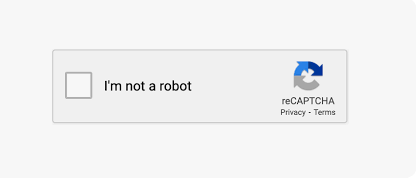
Pros: Easy integration, strong bot detection, and user-friendly.
Cons: Privacy concerns as it requires interaction with Google services.
2. hCaptcha
hCaptcha is a privacy-focused alternative to Google reCAPTCHA. It generates CAPTCHA challenges based on visual or logical tasks.
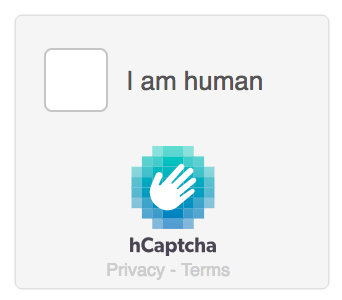
- Rewards website owners for solving CAPTCHAs by helping with machine learning datasets.
Pros: GDPR-compliant, supports monetization, and privacy-centric.
Cons: May sometimes offer challenges that users find difficult.
3. Solve Media CAPTCHA
Solve Media CAPTCHA turns CAPTCHA challenges into advertisements, allowing users to type specific phrases from ads to verify.
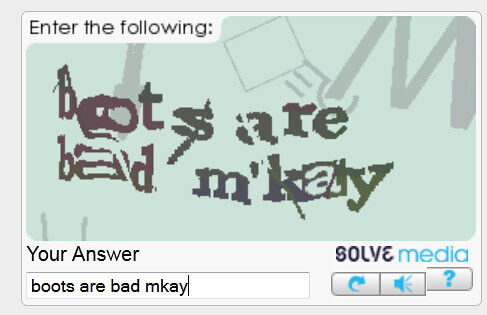
- Combines security with an opportunity to generate ad revenue.
Pros: Creative monetization, user-friendly, and visually engaging.
Cons: May distract from the form’s purpose.
4. FunCAPTCHA
FunCAPTCHA introduces gamified challenges, such as dragging an item into place or solving a simple visual puzzle.

- Ideal for improving user experience while maintaining security.
Pros: Engaging and interactive; supports accessibility.
Cons: Can be resource-intensive and slower on older devices.
5. CAPTCHA Modules in Form Builders
Many form builders like FormGent include their CAPTCHA options, often powered by external services or custom logic.
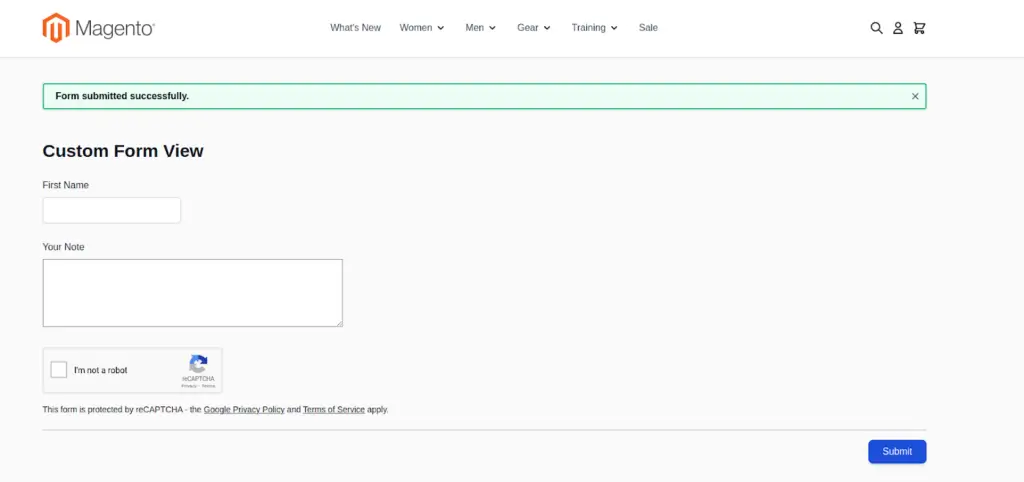
Pros: Seamless integration with the platform, customizable.
Cons: Limited features compared to standalone CAPTCHA services.
6. Mathematical CAPTCHA
Users solve simple math problems like “What is 5 + 3?” to verify their humanity.
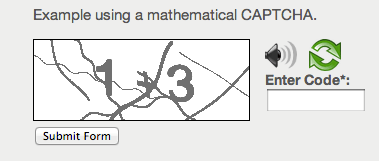
- A lightweight and non-intrusive option for basic security needs.
Pros: Easy to implement, lightweight, and user-friendly.
Cons: Limited security as bots can often solve basic math problems.
7. Text-Based CAPTCHA
These CAPTCHAs ask users to type distorted or stylized text displayed in an image.

Pros: Simple implementation and lightweight.
Cons: Accessibility issues for visually impaired users and less secure against modern bots.
8. Invisible CAPTCHA
This CAPTCHA type triggers only when suspicious behavior is detected, using background monitoring and honeypot fields.
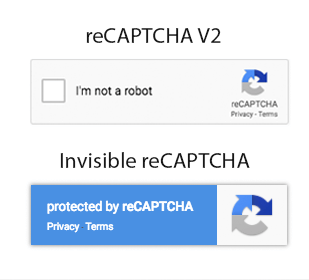
- A more subtle and user-friendly solution.
Pros: No user interaction required, seamless experience.
Cons: Less effective for high-security needs and complex bot detection.
9. Biometric CAPTCHA
Some advanced CAPTCHAs use biometric data such as facial recognition or voice analysis.

- Rarely used in forms due to implementation complexity but offers cutting-edge security.
Pros: Extremely secure and innovative.
Cons: High cost, privacy concerns, and limited use cases.
Essential Features of a Spam-Proof Form Builder
When it comes to combating spam submissions, not all form builders are created equal. The right tools and features can significantly reduce unwanted entries while maintaining a smooth user experience. Here’s a breakdown of the essential features to look for in a spam-proof form builder.
1. CAPTCHA and reCAPTCHA integration
CAPTCHA is a classic yet effective method for blocking bots. Modern reCAPTCHA versions, such as Google’s reCAPTCHA v3, analyze user behavior without requiring any interaction.
- A good form builder like FormGent integrates CAPTCHA seamlessly, ensuring that spam bots are stopped without frustrating genuine users.
2. Honeypot fields
Honeypots are hidden fields added to forms that human users can’t see or interact with, but bots fill them out automatically.
- FormGent includes this as an invisible layer of protection, silently catching bots without disrupting the user experience.
3. IP filtering and blocking
Spam submissions often come from specific IP ranges. A spam-proof form builder should allow admins to block or filter submissions from certain IPs.
- FormGent offers flexible IP filtering, enabling users to blacklist problem addresses or even regions.
4. Rate limiting and submission throttling
Spam often involves multiple submissions in a short period. Rate limiting restricts the number of submissions a user or IP address can make within a given timeframe.
5. Email verification
Requiring users to verify their email addresses before submission ensures data authenticity and filters out fake or disposable email addresses.
- FormGent supports email verification, making it a reliable choice for securing submissions.
6. Blocking disposable email addresses
Spammers often use temporary or disposable email addresses. A robust form builder should include an automatic check to block these addresses.
- FormGent excels in detecting and rejecting disposable emails, ensuring higher-quality submissions.
7. Customizable form fields and conditional logic
Spam bots struggle with forms that change dynamically. Conditional logic, which adjusts the form based on user input, can confuse bots and reduce spam.
- FormGent offers advanced conditional logic, allowing forms to adapt dynamically while enhancing the user experience.
8. Integration with anti-spam tools
The best form builders integrate with specialized anti-spam tools and services, such as Akismet or SpamAssassin, for an additional layer of protection.
9. SSL encryption
Secure Sockets Layer (SSL) encryption protects data during transmission, ensuring that forms aren’t vulnerable to man-in-the-middle attacks.
- With FormGent, all forms are SSL-secured by default, keeping data safe from interception.
Conclusion
Spam submissions can significantly disrupt your workflow and compromise the integrity of your data. By implementing strategic measures such as enabling CAPTCHA, utilizing email verification, setting up conditional logic, and leveraging anti-spam features in your online form builder, you can effectively deter malicious activity.
Combining these methods with vigilant monitoring and regular updates ensures your forms remain a secure gateway for legitimate users. Investing in these practices not only enhances user experience but also protects your digital ecosystem from unnecessary clutter and threats.

Md. Hamim Khan
Md Hamim Khan is the Content and SEO Manager at FormGent, where he creates engaging content that helps improve online visibility. When he’s not at work, he loves playing cricket and enjoys chatting with friends, family, and colleagues.


Alissa
August 11, 2025Howdy! I just would like to give you a big thumbs up for the excellent information you have got right here on this post.
I will be coming back to your site for more soon.
The Simple Way to Create an Order Form in WordPress
August 22, 2026[…] Both are dedicated blocks built right into FormGent — no separate plugin to bolt on. For a deeper look at spam prevention specifically, see FormGent’s guide on avoiding spam submissions. […]
WordPress Form Security: The Complete Guide (2026)
September 13, 2026[…] one, see Honeypot vs CAPTCHA vs Turnstile. For the wider picture beyond these specific tools, our guide to avoiding spam submissions with an online form builder is a good next […]
How to Track Form Conversions in WordPress (2026 Guide)
September 26, 2026[…] it isn’t one. If you’re not sure your current setup strikes the right balance, see how to avoid spam submissions with an online form builder for a full rundown of your […]